
Quick Summary
🟢 WebWorld customers: If you have a managed service or shared hosting account with WebWorld, we will patch this for you automatically. No action required – we’re handling it.
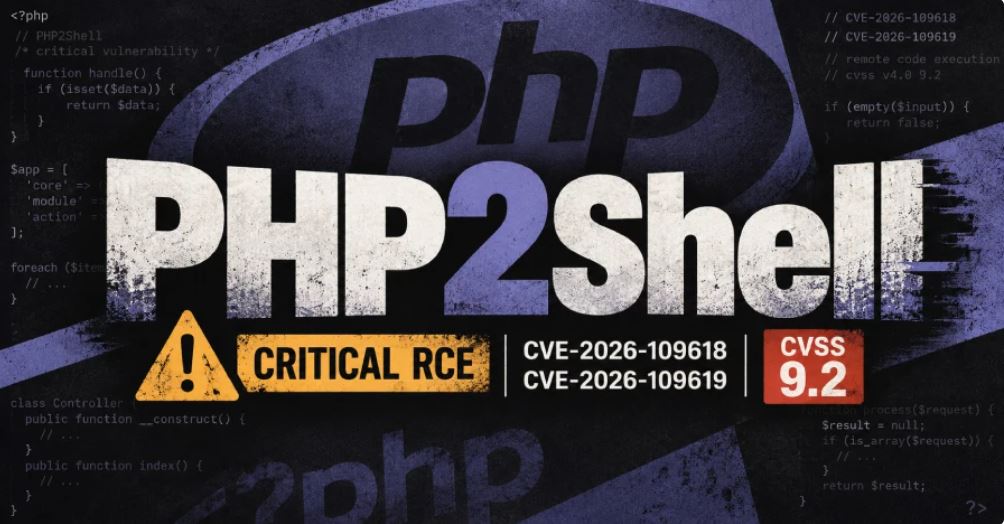
- What: CVE-2026-109618 and CVE-2026-109619 – critical PHP vulnerabilities enabling Remote Code Execution (CVSS 9.2/10)
- Who: ALL PHP versions from 5.4 through current 8.5 are vulnerable
- Fixed versions: PHP 8.5.12+, 8.4.27+, 8.3.36+, and 8.2.35+ contain patches. PHP 5.4-8.1 have no upstream patch.
- Risk Level: CRITICAL – allows unauthenticated remote code execution
- Time to fix: For supported versions: update PHP and restart. For EOL versions: apply workaround (5-10 minutes)
Risk Assessment Matrix
| Scenario | Risk Level | Action Required |
| PHP 8.2-8.5 (any configuration) | 🔴 CRITICAL | Update PHP TODAY to fixed version + restart |
| PHP 5.4-8.1 with file uploads | 🔴 CRITICAL | Apply workaround TODAY or update PHP |
| PHP 5.4-8.1 (no file uploads) | 🟠 HIGH | Apply workaround this week |
| Any PHP version, patched and restarted | ✅ MITIGATED | Maintain baseline security; monitor for updates |
The Vulnerability
On October 21, 2026, the PHP project released emergency patches for two critical vulnerabilities affecting the Zend Engine. Known publicly as CVE-2026-109618 and CVE-2026-109619, these flaws allow unauthenticated remote attackers to achieve Remote Code Execution (RCE) on any affected PHP installation.
What Each CVE Does
- CVE-2026-109618 (Out-of-Memory Corruption): PHP can mishandle memory when a request causes it to run out of memory, allowing an attacker to corrupt memory and execute code.
- CVE-2026-109619 (Stale Worker State): A PHP process can keep using data from a completed request after it should have been discarded. A later request handled by the same PHP process can use that stale data to execute code.
Both vulnerabilities can be exploited without authentication – any web visitor can potentially trigger them. A successful attacker gains access equivalent to the web server process: they can read files, access database credentials, steal data, or install a persistent backdoor.
How to Fix: Two Paths
Path A: If You’re Running PHP 8.2-8.5 (Supported Versions)
UPDATE PHP IMMEDIATELY. Security patches are available and should be installed at your earliest opportunity.
- Minimum fixed versions: PHP 8.5.12, 8.4.27, 8.3.36, or 8.2.35
- Linux distributions: Check your vendor (Ubuntu, CentOS, Debian, etc.) for updated packages – they may have backported the fix to older version numbers
- After updating: You MUST restart PHP for the fix to take effect. All running PHP processes must use the new code.
Restart PHP After Updating
Update alone is not enough – restart your PHP service:
systemctl restart php-fpm* 2>/dev/null || systemctl restart php*-fpm 2>/dev/null
systemctl restart httpd 2>/dev/null || systemctl restart apache2 2>/dev/null
systemctl restart nginx 2>/dev/null
If you use Docker or containers, rebuild and redeploy from an updated base image.
Verify the update worked by checking your WordPress site – go to Tools - Site Health - Info - Server and confirm the PHP version shows 8.2.35+, 8.3.36+, 8.4.27+, or 8.5.12+.
Path B: If You’re Running PHP 5.4-8.1 (EOL Versions – No Patch Available)
These PHP branches are End-of-Life and will not receive upstream patches. You have two options:
Option B1: Upgrade to PHP 8.2+ (Recommended)
Contact your hosting provider and request an upgrade to PHP 8.2 or newer. Most modern hosting supports this. After upgrading, follow Path A above (restart PHP and verify the update).
Option B2: Apply the Workaround (Temporary, While Upgrading)
The primary attack vector exploits PHP’s internal session upload progress mechanism. Disabling this feature blocks the main attack path without requiring a full upgrade – though it does not provide complete protection.
session.upload_progress.enabled = OffWill this break websites? Over 99% of modern websites do not use this feature. WordPress, modern CMS engines, and JavaScript frameworks handle upload progress via client-side browser APIs (XMLHttpRequest or fetch), entirely independent of PHP’s internal session tracker.
In the rare event that a legacy application depends on server-side upload tracking, the site will need to be upgraded to PHP 8.2+ or newer. There is no secure alternative for EOL runtimes.
Step-by-Step Workaround: Disabling Session Upload Progress
This is the temporary mitigation for PHP 5.4-8.1. If you’re on PHP 8.2+, see Path A above.
On Linux (Apache / NGINX / PHP-FPM)
Step 1: Find all php.ini files
Run this command as root to locate all active PHP configuration files:
find /etc /usr/local -name "php.ini" 2>/dev/nullStep 2: Apply the fix to all files
Update or add the setting automatically using sed:
find /etc /usr/local -name "php.ini" -exec sed -i 's/^;*session.upload_progress.enabled\s*=.*/session.upload_progress.enabled = Off/' {} +If the setting doesn’t exist in older configs, append it:
find /etc /usr/local -name "php.ini" -exec sh -c 'grep -q "^session.upload_progress.enabled" "$1" || echo "session.upload_progress.enabled = Off" >> "$1"' _ {} \;Step 3: Restart web services
For systemd-based distributions (CentOS, AlmaLinux, RHEL, Debian, Ubuntu):
systemctl restart php-fpm* 2>/dev/null || systemctl restart php*-fpm 2>/dev/null
systemctl restart httpd 2>/dev/null || systemctl restart apache2 2>/dev/null
systemctl restart nginx 2>/dev/null
On Windows (IIS / Apache)
Step 1: Locate all php.ini files
Open an elevated Command Prompt and search your drives:
dir C:\php.ini /s /b /a:-d
dir D:\php.ini /s /b /a:-d
Alternatively, using PowerShell:
Get-ChildItem -Path C:\, D:\ -Filter "php.ini" -File -Recurse -ErrorAction SilentlyContinue | Select-Object -ExpandProperty FullNameStep 2: Edit php.ini files
For each file found:
- Open in Notepad (right-click – Edit as Administrator)
- Find the
[Session]section - Locate or add the line:
session.upload_progress.enabled = Off - Ensure there is no semicolon
;at the beginning - Save the file
Step 3: Restart web services
For IIS, run in elevated Command Prompt:
iisresetFor Apache on Windows, restart the Apache service via Services (services.msc) or Command Prompt:
net stop Apache2.4
net start Apache2.4
Verification
Check your WordPress PHP version: Go to Tools - Site Health - Info - Server and note the PHP version displayed.
For Updated PHP (8.2.35+, 8.3.36+, 8.4.27+, or 8.5.12+):
If Site Health shows one of these versions (or higher), your server is patched and secure. No further action needed.
For the Workaround (EOL PHP versions):
To verify the workaround is active, run:
php -i | grep -i "session.upload_progress.enabled"On Windows, use:
php -i | findstr /i "session.upload_progress.enabled"The output should show:
session.upload_progress.enabled => Off => OffImportant Notes
- This is a PHP vulnerability, not a WordPress issue. Updating WordPress does not install PHP patches. Your hosting provider controls PHP on shared and managed hosting.
- Restarting PHP is critical. Updating the package alone won’t protect you if the old processes are still running. Always restart the service.
- The workaround is temporary. It blocks the primary attack vector but does not provide complete protection. Plan to upgrade to supported PHP as soon as possible.
- Public exploits are circulating. Apply fixes as soon as possible. Do not wait to see if an attack targets your specific setup.
- Preserve logs: As a precaution, retain web server, PHP, and system logs covering at least 48 hours before October 21 through when PHP was patched and restarted. This helps detect any attempted exploitation.
Next Steps
- PHP 8.2-8.5 users: Update PHP today and restart the service. Verify the version in WordPress Site Health.
- PHP 5.4-8.1 users: Apply the workaround immediately, or contact your host about upgrading to PHP 8.2+.
- WebWorld customers: We are handling this automatically. No action needed on your part.
- Shared hosting customers (other providers): Contact your host and ask: “Are both CVE-2026-109618 and CVE-2026-109619 patched, and has PHP been restarted?”
Leave a Reply