The .io domain extension is used as an abbreviation for input/output, which makes it very popular for tech startups in general.
There are essentially no restrictions on who can use this domain. Any individual or entity can register a .io domain name, and most .io sites are completely unrelated to the location
What is Elementor? Elementor is a drag-and-drop page builder for WordPress. This plugin helps you create great looking pages using a visual editor. It’s designed for you to build dynamic websites quickly. This WordPress plugin is an all-in-one solution — letting you control every part of your website design in a single platform.
How do I install WordPress onto cPanel? 1. Log into cPanel:
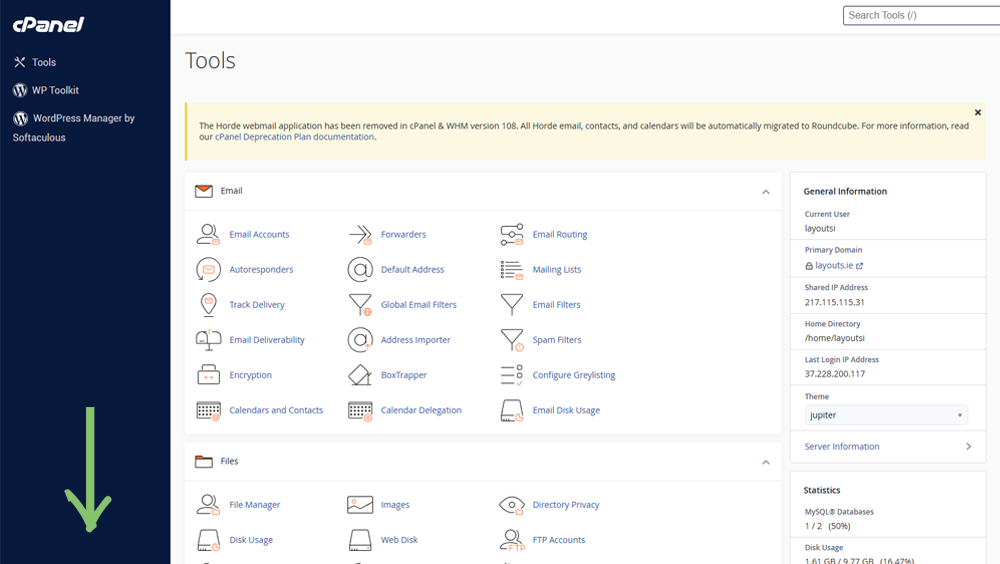
2. Once logged in to cPanel, youll be greeted with this page:
Scroll down to the “Scripts” tab where you will find WordPress
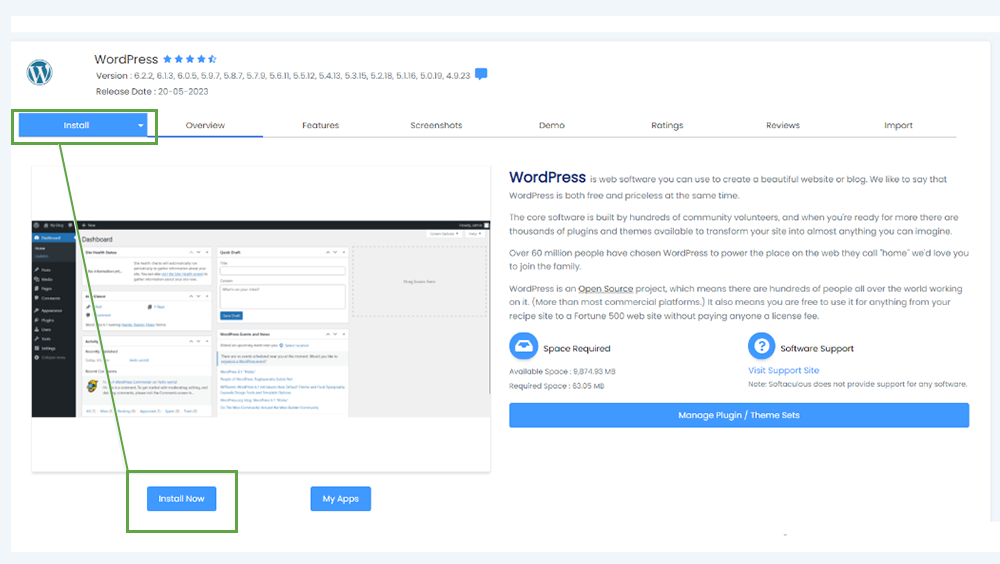
3. You will then be sent to Softaculous with options to install WordPress/Manage plugins for WordPress etc. Click the install button on the top-left area of the screen
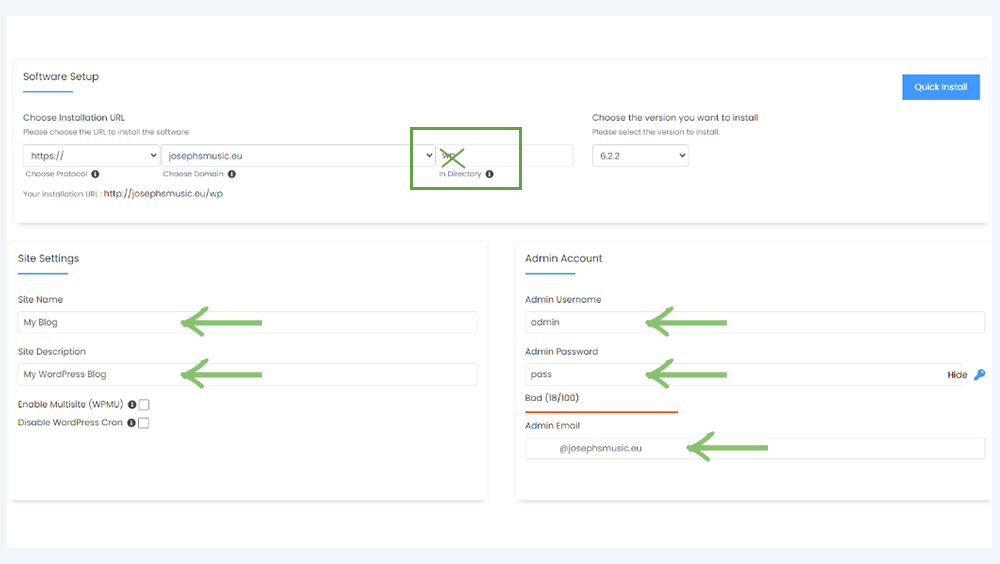
This will be the next page you will be brought to to create a site name/description, create an admin username/password/email. Important note: please remove “wp” from the input field
If you continue to scroll down you will be given the options for a language and plugins, some advanced settings and the option to include a stock theme to use for your website.
Once you have filled in all the options you want for your website, click “install” at the end of the page
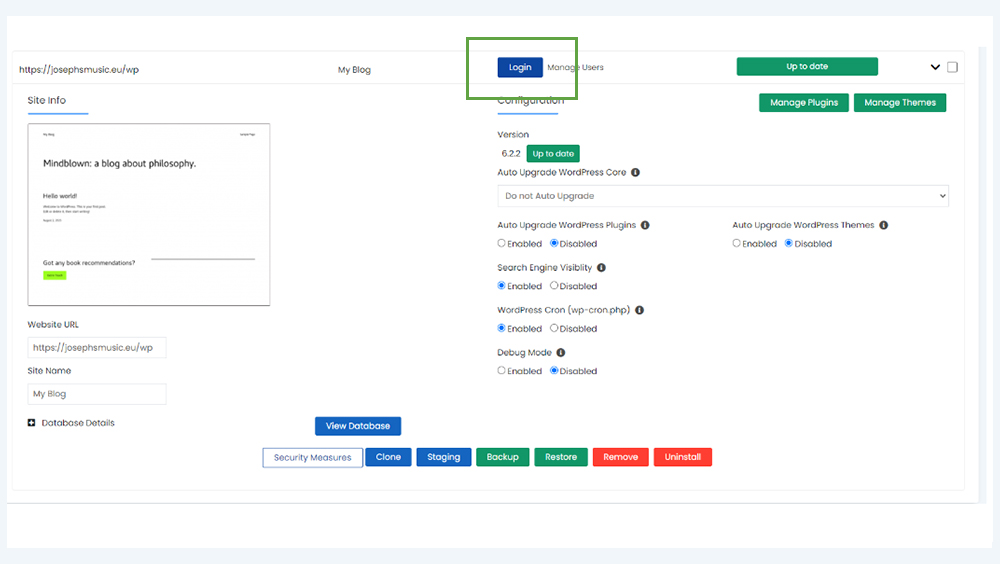
When everything is done, click “Return to WordPress management” and you will see everything you have done and everything you can adjust with your website
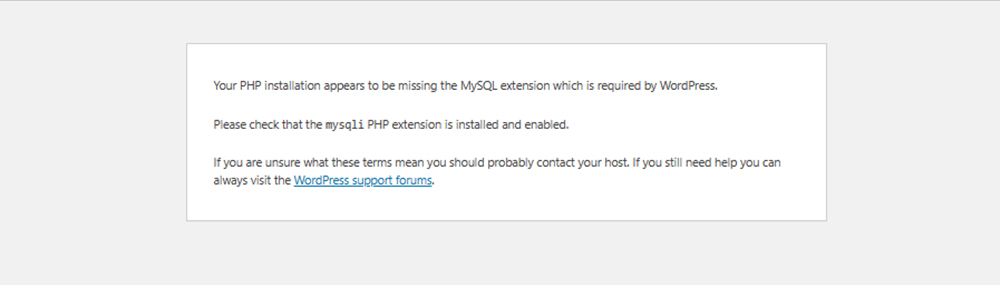
4. In order to gain access to Elementor in wordpress, you will have to change your PHP version in order to access it as the default PHP version does not support Elementor. If you get this error, it means that the default PHP version is incorrect:
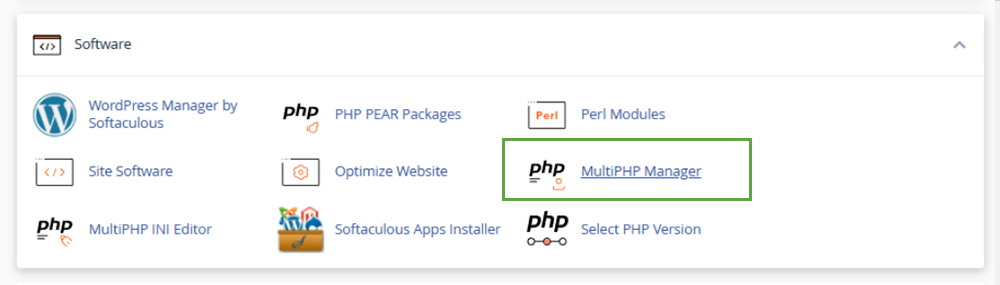
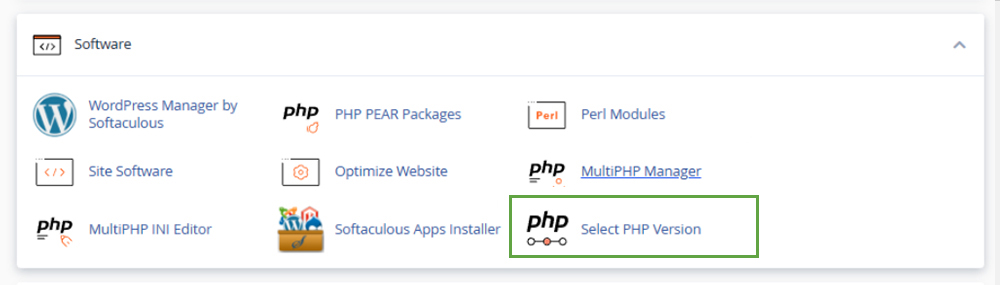
To solve this problem please go to the “Software” tab in cPanel and select “Multi PHP Manager”
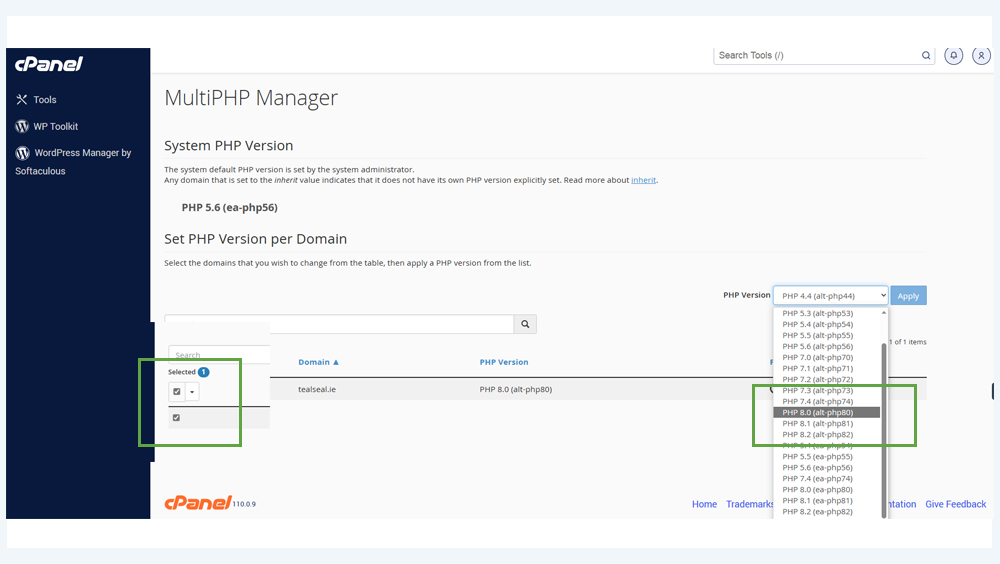
If the default PHP version is ver 4.4 . You should change this to PHP 8.0 (alt PHP 80) or 8.2 (alt-PHP82) to be able to install Elementor correctly in order to access Elementor for WordPress:
Then, please back to the main cPanel dashboard, and go to “Select PHP Version”
Please choose the same version of PHP here:
Then please go to “extensions” & enable:
Zip
fileinfo
pdo_pgsql
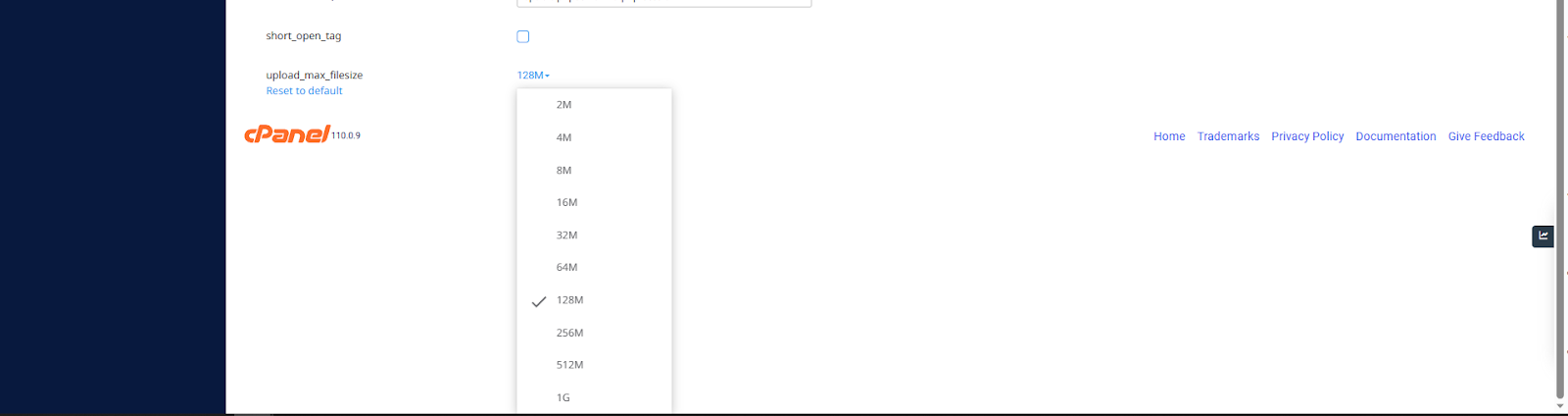
In addition you can go to ==> “Options” and update upload_max_filesize ⇒ e.g. change from 2M to 128M or higher
How to install Elementor in WordPress? Once logged into your website dashboard in WordPress, locate the “plugins” tab on the left side of the screen
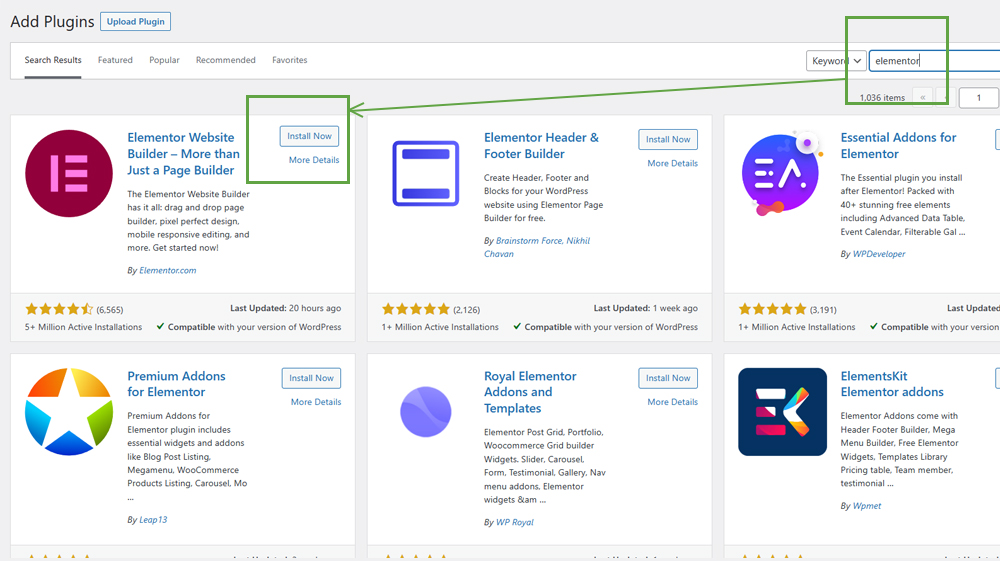
Elementor won’t be installed on WordPress by default, so we need to install it manually. Click the “Add New” button near the top of the screen once you click into the Plugins tab
From here, you will be able to search for Elementor manually
Now Elementor should be installed and you can see it when you click back to the first plugins page
All you need to do now is press “activate” and Elementor will be up and running on wordpress.
How Elementor works: When you activate Elementor, go to the “Pages” tab in WordPress. Click “edit” on an already existing page to access Elementor.
Click “Edit with Elementor” to access Elementors editor for your website
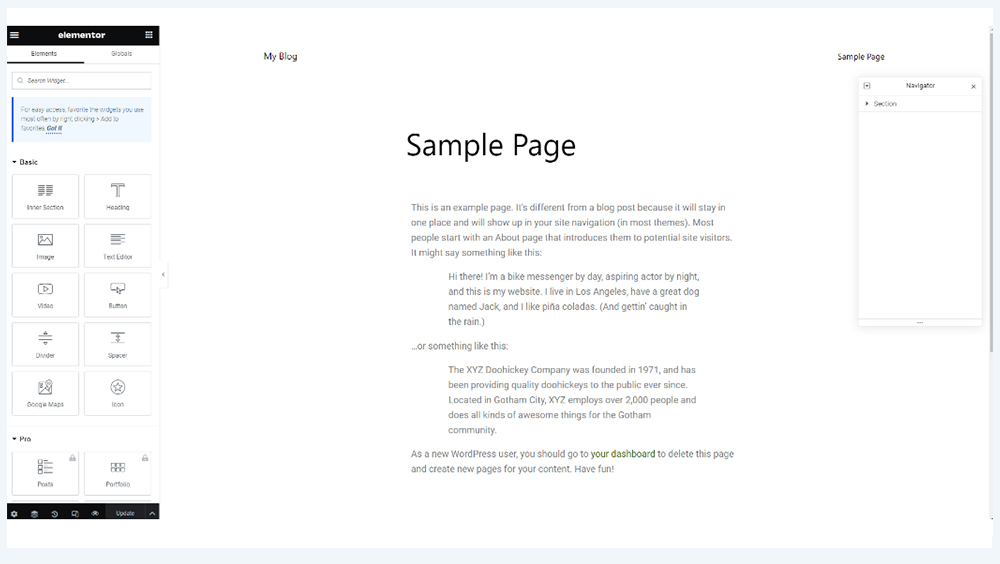
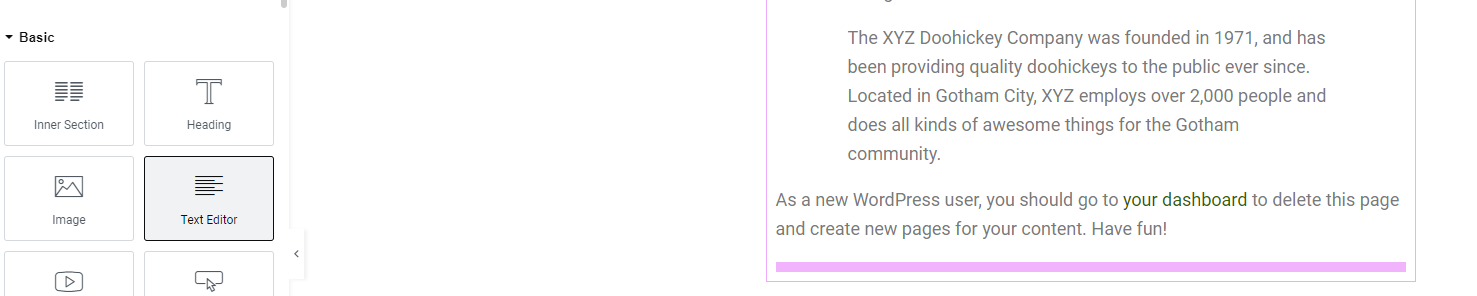
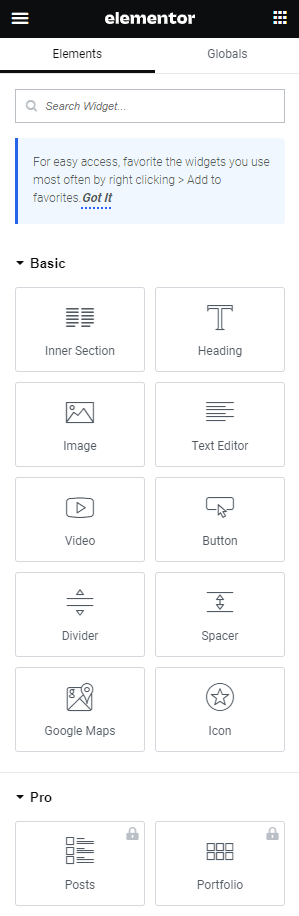
This is the screen that you get when Elementor is activated and operating on WordPress All you have to do to use the widgets on the left side of the screen is to click on them, drag them and a pink bar will allow you to locate where you want to put your widget.
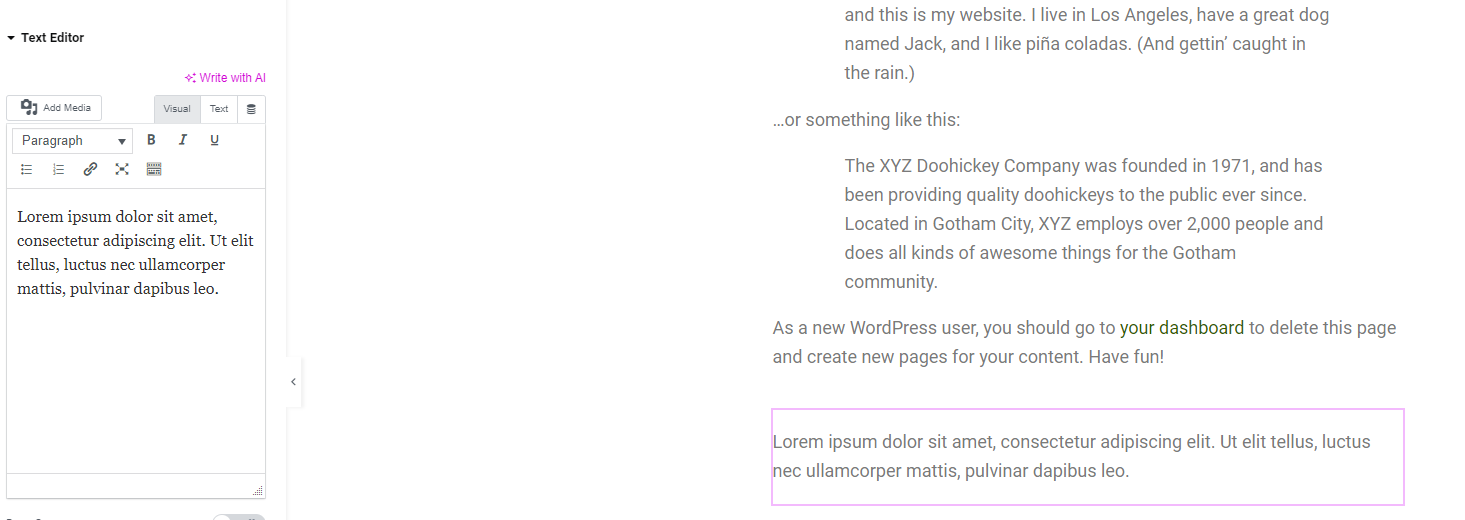
When the text editor widget is dragged down onto the pink bar, it will now produce a text editor and a box to show the text typed
There are more widgets that can be used like implementing images, spacers, dividers etc.
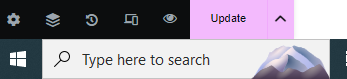
The “Publish” button publishes all your changes onto the website you have created through WordPress The “Update” button updates the website with any additional changes.
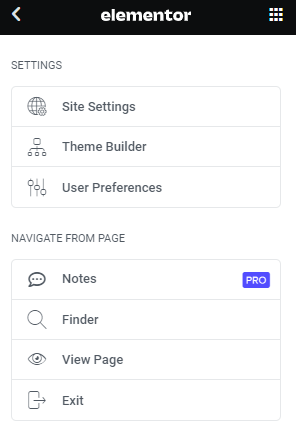
The 3 bars on the top left of the screen guide you back out of Elementor and back into the WordPress dashboard
If you have any further questions, contact us at support@webworld.ie and we will be happy to help you.
If you’re using Outlook/Thunderbird or some other software to receive your emails and suddenly you find that you can’t see any incoming emails, don’t panic! Your emails are on our servers, but your accounts lose access to them.
The .uk domain is short and very memorable, which makes it easy for users to search for you. As it is a very well known domain, you can take your first step online knowing you are in safe hands with a domain where your business can thrive. This domain is multi-functional and can be used for a lot of different purposes. You can even use the .co.uk domain for your business, even if you are based outside the UK. Studies also show that from search results, 70-80% of UK consumers would be more likely to choose a .co.uk website. Finally, a website with a .co.uk domain extension will also gain greater visibility in the UK (local) search engine results, automatically driving more traffic to your website.
Who can register a .co.uk or .uk domain name? There are no restrictions for someone who wants to register a .co.uk or .uk domain name, apart from people in the EU.
How much does a .co.uk or .uk domain name cost? A .uk domain name costs €10.95 A .co.uk domain name costs €9.95
To register a .uk domain, head over to here and type in the name of the .uk domain you want to register. Another way to register a domain is to email us here with the domain you wish to register and we will get back to you with the requirements.
For UK businesses, we would definitely recommend using .uk, whereas if you are intending to trade overseas and don’t want to be considered as primarily a UK company we would suggest that you pick .com
Can I transfer my existing domain to Web World? Before beginning the transfer process, you will need to ensure that your domain is properly set up for a transfer and that you have all of the required information. The process will vary depending on your domain provider, but there are general steps that are common between many registrars. Don’t worry. We can help you transfer your files, databases, and update all settings. You can contact us here and we will assist you.
DirectAdmin has all the latest technology you would need to perform administrative work for effective hosting. DirectAdmin is as proficient as you’d expect a good control panel to be and allows its users the ability to tweak all the essential web hosting elements including backups and mail. DirectAdmin can run perfectly under Linux and its major distributions, CloudLinux, CentOS, Ubuntu, Debian, Red Hat and much more.