cPanel and DirectAdmin Serve the Same Goal

Two leading web hosting control panels discover how cPanel and DirectAdmin both serve the same purpose with strength and style.

When it comes to web hosting control panels, cPanel is often seen as the industry standard. It’s been around for decades and is widely known for its user-friendly interface and robust features. However, DirectAdmin has emerged as a powerful and reliable alternative, especially in recent years.

Key Similarities Between DirectAdmin and cPanel

1. User-Friendly Interface

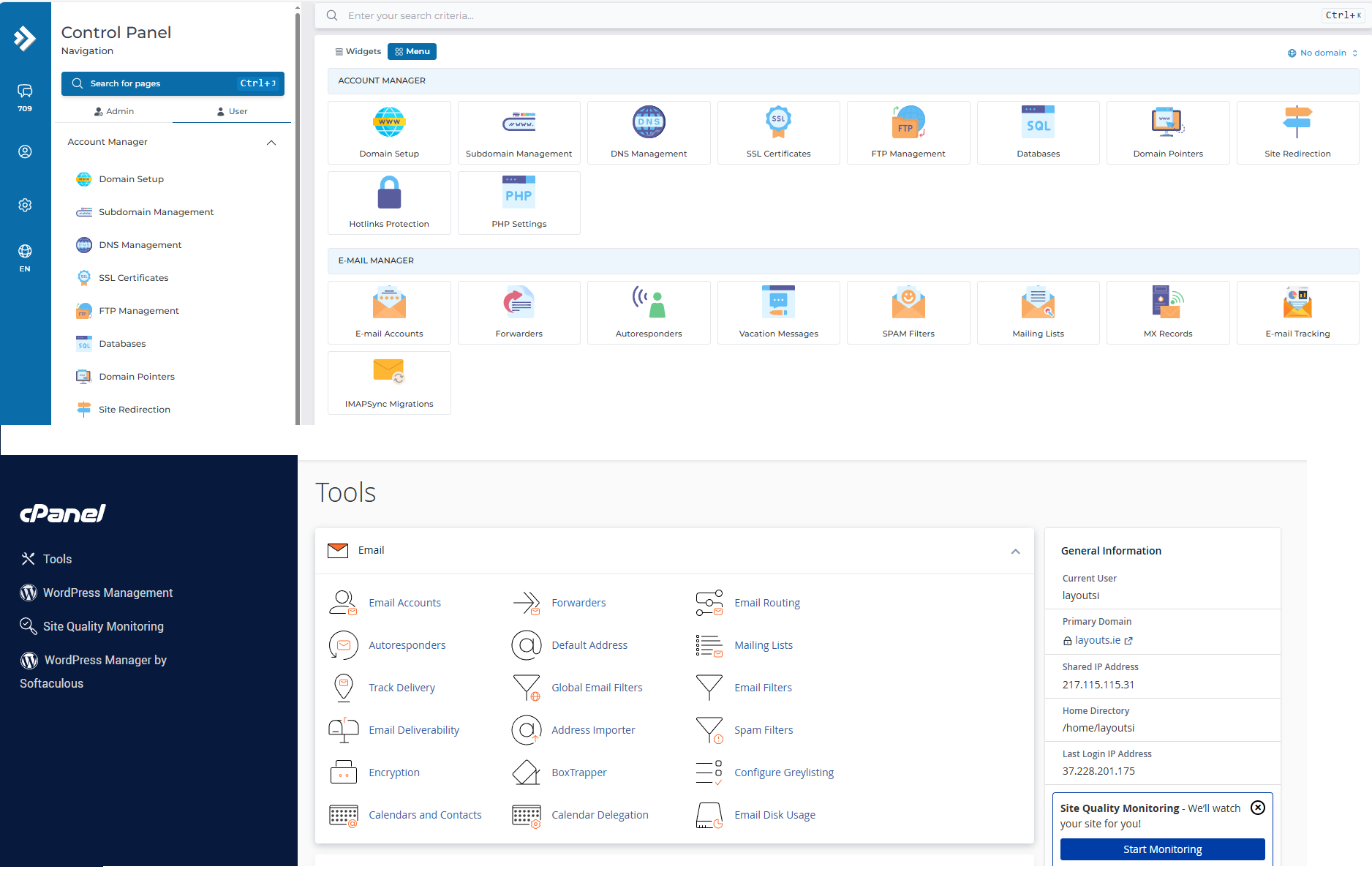
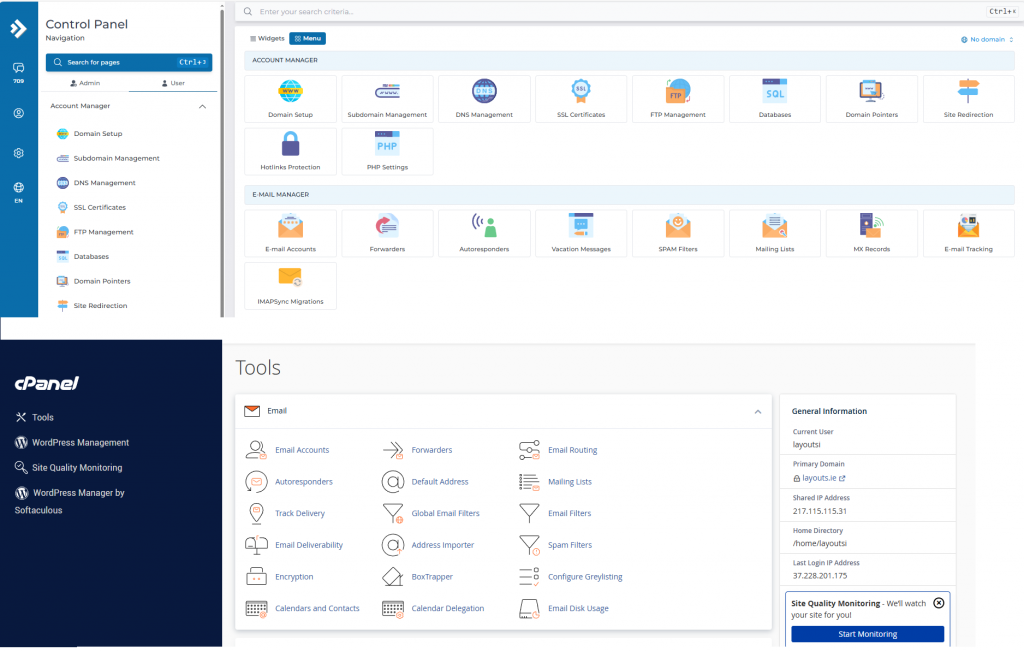
Both cPanel and DirectAdmin offer clean, intuitive dashboards. Users can manage domains, email accounts, databases, backups, and files with just a few clicks. While the layout may differ slightly, the functionality is nearly identical.
2. Comprehensive Hosting Management

Whether you’re a beginner or an experienced sysadmin, both panels provide complete control over your hosting environment. You can:

  • Create and manage multiple websites
  • Set up email accounts and forwarders
  • Handle FTP and file management
  • Configure DNS settings
  • Install SSL certificates

3. Support for Popular Software

DirectAdmin and cPanel both support:

  • Apache and Nginx web servers
  • MySQL/MariaDB
  • PHP versions management
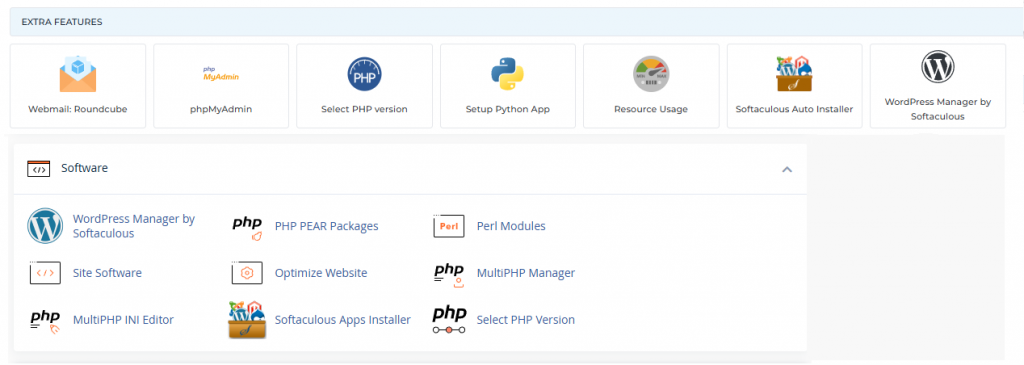
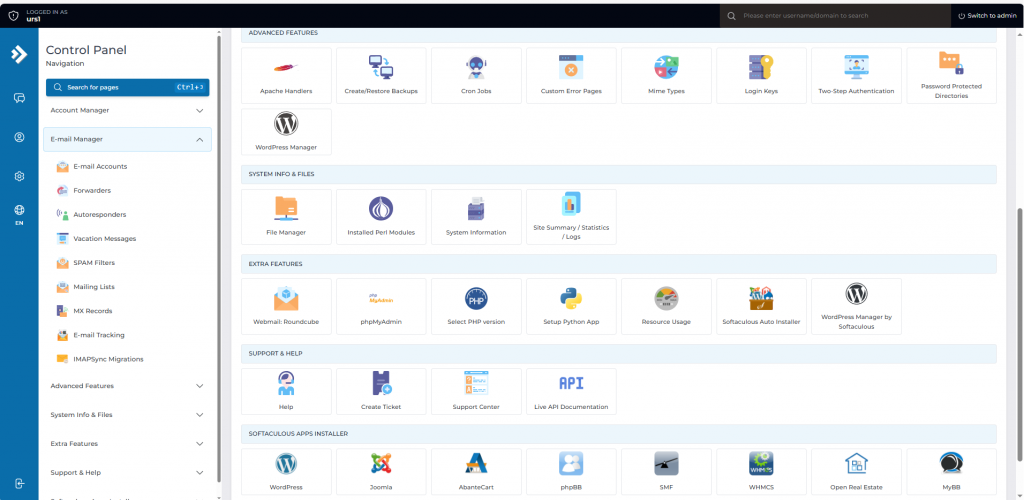
  • Softaculous (or similar 1-click app installers)
    This ensures compatibility with most modern websites, including WordPress, Joomla, Magento, and more.
4. Security Features

Both platforms offer:

  • Two-factor authentication (2FA)
  • IP blocking
  • Brute-force attack prevention
  • SSL management
  • Firewall and antivirus integration
    Security is a top priority on both sides.

5. Multiple Access Levels

Each has three main user roles:

  • Admin: Full system access
  • Reseller: Can manage multiple user accounts
  • User: End-client or site owner access
    This makes either option suitable for shared hosting providers or web agencies.

Why DirectAdmin Is Just as Good as cPanel

Lightweight and Fast. DirectAdmin is known for being lightweight and resource-efficient. It performs exceptionally well even on low-resource servers, making it ideal for VPS environments.

Cost-Effective. Following cPanel’s price increases in recent years, many users began looking for alternatives. DirectAdmin offers a more budget-friendly licensing model while still delivering premium-level features.

Active Development and Support. DirectAdmin continues to evolve with regular updates, new features, and excellent support. Its community is active, and many hosting providers have shifted toward supporting it.

Customization and Scripting.DirectAdmin provides flexibility for advanced users through custom scripting and API access, similar to what you’d find with cPanel/WHM.

Migration Tools. Moving from cPanel to DirectAdmin is easier than ever. Migration tools are available that help you transfer accounts, emails, databases, and settings with minimal hassle.
Cost Efficency

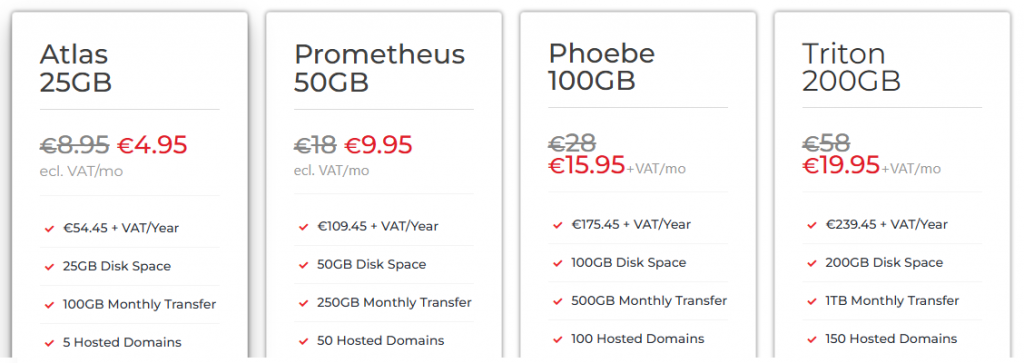
When it comes to cost efficiency, DirectAdmin hosting stands out as a smarter choice for individuals and businesses alike. Unlike other control panels that come with hefty licensing fees, DirectAdmin offers a lightweight, budget-friendly solution without compromising on functionality. This means lower monthly costs for hosting providers and more affordable plans for customers. At Web World Hosting, our DirectAdmin-based web hosting is optimized for speed, simplicity, and reliability—making it ideal for startups, developers, and small business owners who want premium features without the premium price tag. With intuitive controls, fast performance, and fewer overheads, DirectAdmin helps you get more value for your investment.
https://webworld.host/web-hosting

Conclusion

While cPanel remains a powerful and popular choice, DirectAdmin matches it in functionality and usability—and even surpasses it in some key areas like performance and pricing. Whether you’re managing a single website or running a full hosting business, DirectAdmin is a robust, secure, and scalable solution that deserves serious consideration.

If you’re looking for a control panel that delivers without breaking your budget, DirectAdmin is just as good as cPanel—if not better for many use cases.
Why 2FA Is Critical for Hosting Panels

When it comes to website security, your hosting control panel is the gateway to everything—your files, databases, emails, and settings. Whether you’re using cPanel or DirectAdmin, enabling Two-Factor Authentication (2FA) adds a powerful layer of protection against unauthorized access.

In this post, we’ll walk you through enabling 2FA on both platforms and explain why it’s a must for every website owner.

MORE >>

Smarter Long-Term Choice for .NL Domains

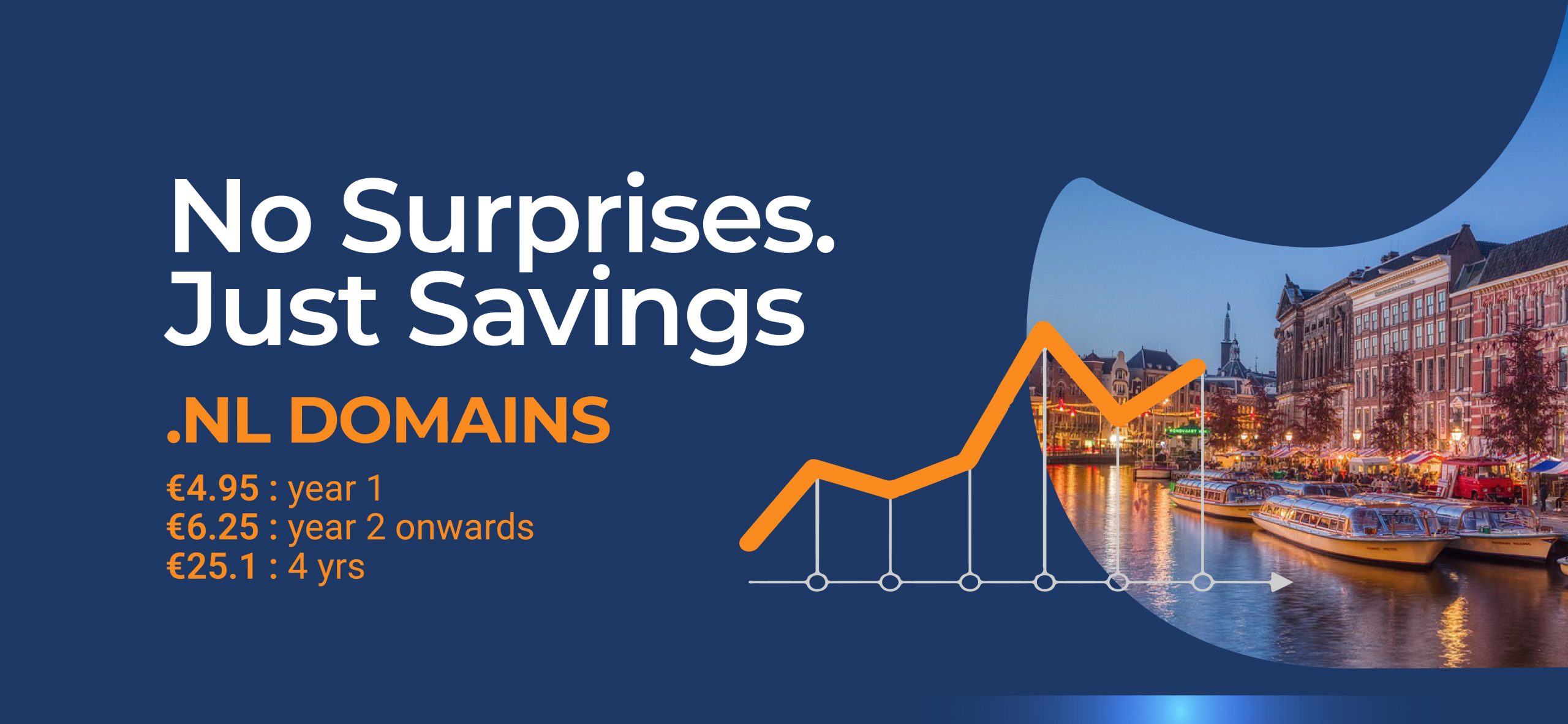
When registering a .NL domain, many businesses are drawn to low introductory offers. However, these promotions often mask significantly higher renewal rates in subsequent years, leading to unexpected long-term costs. At Web World, we prioritize transparency and long-term value, ensuring our customers benefit from consistently fair pricing.

The Hidden Cost of Cheap First-Year Deals

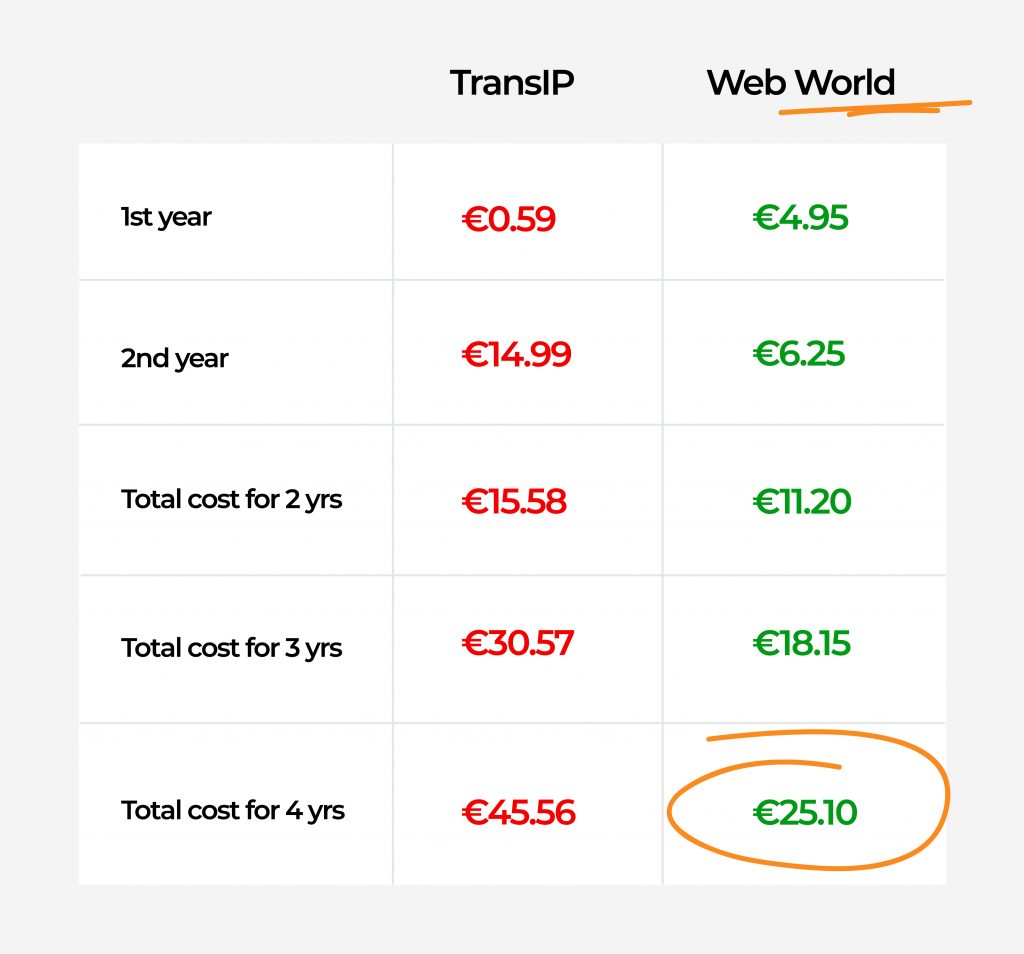
While some registrars, such as TransIP, promote first-year pricing as low as €0.59, the renewal cost rises sharply to €14.99 annually thereafter. Over a standard 4-year registration period, this results in a total cost of €45.56—a figure that may come as a surprise to those who expected the savings to continue.

By contrast, Web World maintains a straightforward, predictable pricing structure:

  • Year 1: €4.95
  • Year 2 onwards: €6.25/year
  • Total cost over 4 years: €25.10

This represents a 45% savings compared to TransIP over the same period.

Make the Smarter Choice

Whether you’re a small business, digital agency, or IT consultant managing multiple domains, cost predictability is essential. Web World’s approach eliminates uncertainty and supports your long-term planning, helping you avoid unexpected renewals that strain your budget.

Ready to Register or Transfer?

With nearly 50% lower total costs over four years and a commitment to pricing transparency, Web World offers clear advantages for anyone serious about domain ownership.

Visit Web World and start saving today. Web World

Troubleshooting “FETCH failed” IMAP Errors

If you’re managing an email server using Dovecot and come across an error like:

Feb 2 00:05:42 cpanel dovecot[number]: imap({email address})<..><..>: Disconnected: FETCH failed in=1652, out=4341540, bytes=1652/4341540

it means that an IMAP client tried to retrieve an email but failed. This can lead to disconnections and issues with email retrieval, affecting users who rely on IMAP to access their emails.

Understanding the Error Message

Breakdown of Key Components:

  • Timestamp: Feb 21 00:05:42 → When the error occurred.
  • Server: cpanel → The hostname of the server where the issue occurred.
  • Process ID: dovecot[number] → The Dovecot mail process that encountered the issue.
  • Protocol & User: imap({email address}) → This happened during an IMAP session for the email account {email address}.
  • Session ID: <number><code> → Unique identifiers for the IMAP session.
  • Error Message: Disconnected: FETCH failed in=1652, out=4341540, bytes=1652/4341540 → The user requested to fetch an email, but the request was unsuccessful.

Possible Causes

  • Corrupted Email Message: A malformed or broken email in the mailbox might be causing the FETCH command to fail.
  • IMAP Connection Issues: The client might be experiencing network issues or losing the connection during the fetch process.
  • Timeout Due to Large Email Attachments: If the email being fetched is very large, the request may be timing out before completion.
  • Dovecot Index File Corruption: IMAP index files store metadata for faster access. If these files become corrupted, errors like this can occur.
  • Server Resource Limits: If the server is running low on memory or CPU, IMAP processes may fail under load.
  • Email Client Issues: The user’s email client may be making an invalid request, using an outdated configuration, or syncing incorrectly.

    Client-Side Troubleshooting Steps:

    1. Restart the Email & Device

    • Close and reopen the email application (Outlook, Thunderbird, Apple Mail, etc.).
    • Restart the device to refresh the network connection and email synchronization.

    2. Check Internet Connection

    • Ensure they have a stable internet connection.
    • If using Wi-Fi, try switching to another network or restarting the router.

    3. Access Webmail Instead

    • Ask the client to log into Webmail (Roundcube, Horde, or another interface) provided by their email host.
    • If emails work fine in Webmail, the issue is likely with the email client settings or local device.

    4. Remove and Re-add the Email Account

    • If emails are not syncing properly, removing and re-adding the IMAP account can force a fresh sync.
    • Steps vary by email client, but generally:
      • Backup emails first (if needed).
      • Go to Settings > Accounts > Remove Email Account
      • Add the email account again using IMAP settings.

    5. Check Email Storage Limits

    • If their inbox is full or near its quota, they may need to delete old emails or move them to local storage.
    • Some email servers reject fetch requests when storage is exceeded.

    6. Disable Third-Party Security Apps (Temporarily)

    • Firewalls, VPNs, or antivirus software might interfere with IMAP connections.
    • Disable them briefly to see if emails start working again.

    7. Update the Email Client

    • Ensure they are using the latest version of their email application.
    • Outdated software might cause synchronization issues.
    • Try accessing the email account from a different app (e.g., switch from Outlook to Thunderbird) to check if the issue is app-specific.

    9. Check IMAP Settings

    • Ensure the incoming and outgoing mail server settings are correct:
      • IMAP Server: mail.yourdomain.com
      • Port: 993 (SSL) / 143 (Non-SSL)
      • Outgoing SMTP Server: mail.yourdomain.com
      • Port: 465 (SSL) / 587 (TLS)
      • Authentication: Enabled (use full email address as the username)

    10. Contact Email Support

    • If the issue persists, they should contact us for further troubleshooting.
    • Provide details such as:
      • The error message seen in the email client.
      • Whether Webmail works but the email client does not.
      • Any recent changes made to email settings or the device.

    What is the .nl domain?

    What is the .nl domain?

    Each country has their own ccTld (country code Top level domain) and it is used to make a website more popular within an area or country and also let you know what the website is about. The most popular and well known domains are .com, .NET and .org. A website with .org is normally a website about a non-profit organization like https://www.redcross.org, and a website with .gov is normally about a country’s government like https://www.usa..gov

    As said earlier countries also have their own domains like Ireland with .ie, the UK with .uk and the Netherlands with .nl. Why does this matter? It’s good for local businesses to attract local customers. It also builds trust and confidence with the people who come from the same country.

    Should I use .nl?

    Every search engine ranks all websites that are relevant to you by domains, this is called the Search Engine Optimization (SEO). This means that if you are in Ireland, and search for a website, most of those websites will have the .ie domain because you are in Ireland. This will applies to every country. 

    Unlock Your Online Identity with .NL – Register the Perfect Domain Today!

    Dive into the Dutch Digital Wave! 🌐 The .nl domain, a cyber hotspot, beckons with a 95% internet-savvy population – a goldmine for attracting Dutch clientele to your business. What’s even more exciting? It’s not just about popularity; it’s about affordability! The .nl domain is your pocket-friendly ticket to online prominence, no fancy prerequisites required.

    But wait, there’s more! The Netherlands isn’t just a country; it’s a gateway to Europe! Being an EU member opens up a seamless online shopping experience – buy from the Dutch, skip the customs duty hassle. 🛍️

    Embrace .nl – not just a domain, but a digital haven exclusively tailored for the Dutch vibe. Your website with a .nl flair? It’s not just a connection; it’s a celebration of targeting the vibrant Dutch audience!

    Pros of .nl

    The Netherlands’ country domain (.nl) is one of the most popular country domains for a few reasons. The population heavily uses the internet with around 95% of the population using it which can attract many Dutch customers to your business.

    The .nl domain is one of the cheapest domains for a country and has no special requirements to register your website with.

    The Netherlands is also part of the European Union which means that the countries that are in the EU can buy goods online from the Netherlands and not pay customs duty when the goods arrive in that country.

    The .nl is mainly used for people and businesses who live in and are based in the Netherlands. This means that people who want to use the .nl domain for their website need to have a big target market from Dutch people.

    REGISTER HERE

    Registering a .io domain

    What is the .io domain?

    The .io domain extension is used as an abbreviation for input/output, which makes it very popular for tech startups in general.

    There are essentially no restrictions on who can use this domain. Any individual or entity can register a .io domain name, and most .io sites are completely unrelated to the location

    MORE>>

    WordPress + Elementor

    What is Elementor?
    Elementor is a drag-and-drop page builder for WordPress. This plugin helps you create great looking pages using a visual editor. It’s designed for you to build dynamic websites quickly. This WordPress plugin is an all-in-one solution — letting you control every part of your website design in a single platform.

    How do I install WordPress onto cPanel?
    1. Log into cPanel:


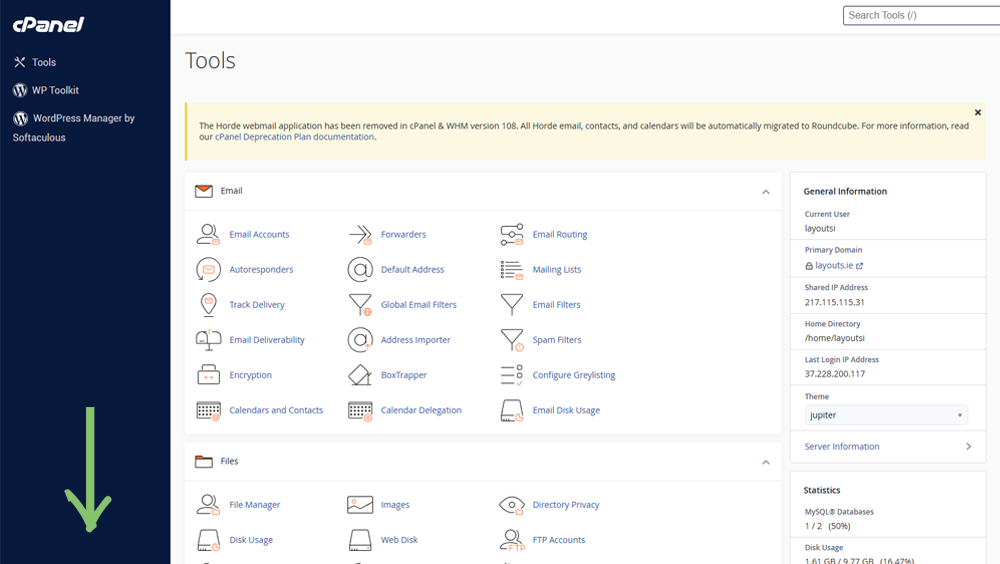
    2. Once logged in to cPanel, youll be greeted with this page:


    Scroll down to the “Scripts” tab where you will find WordPress

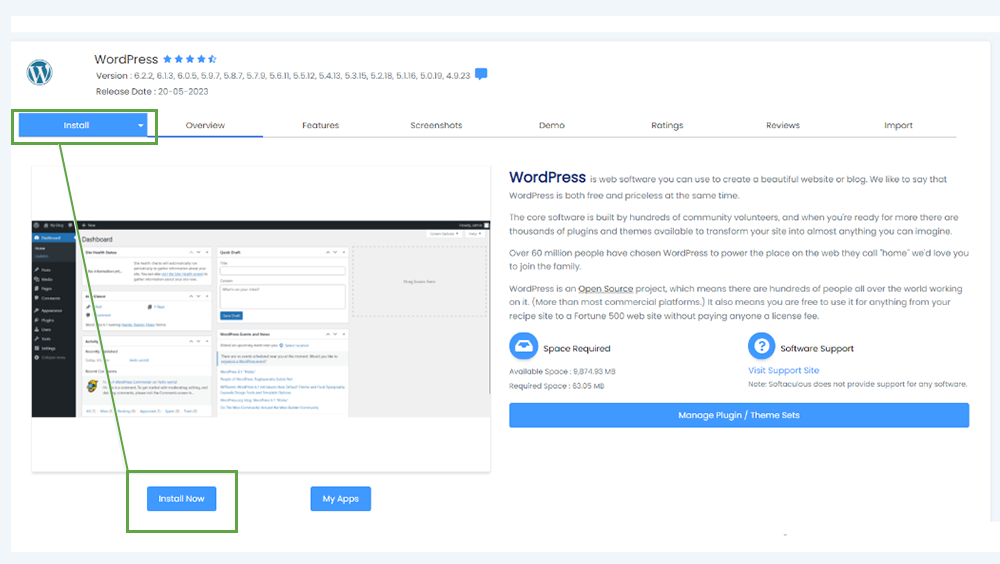
    3. You will then be sent to Softaculous with options to install WordPress/Manage plugins for WordPress etc. Click the install button on the top-left area of the screen


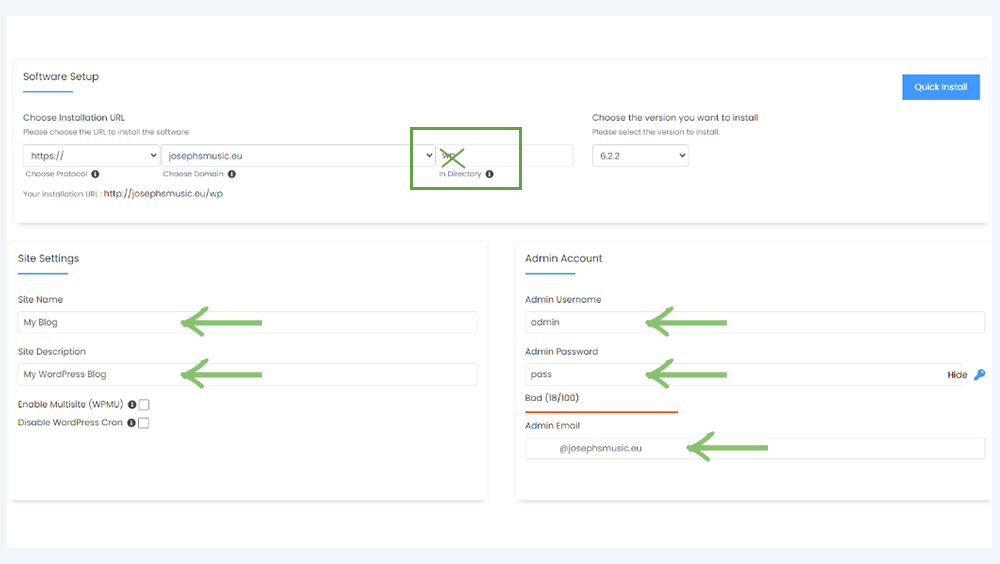
    This will be the next page you will be brought to to create a site name/description, create an admin username/password/email. Important note: please remove “wp” from the input field


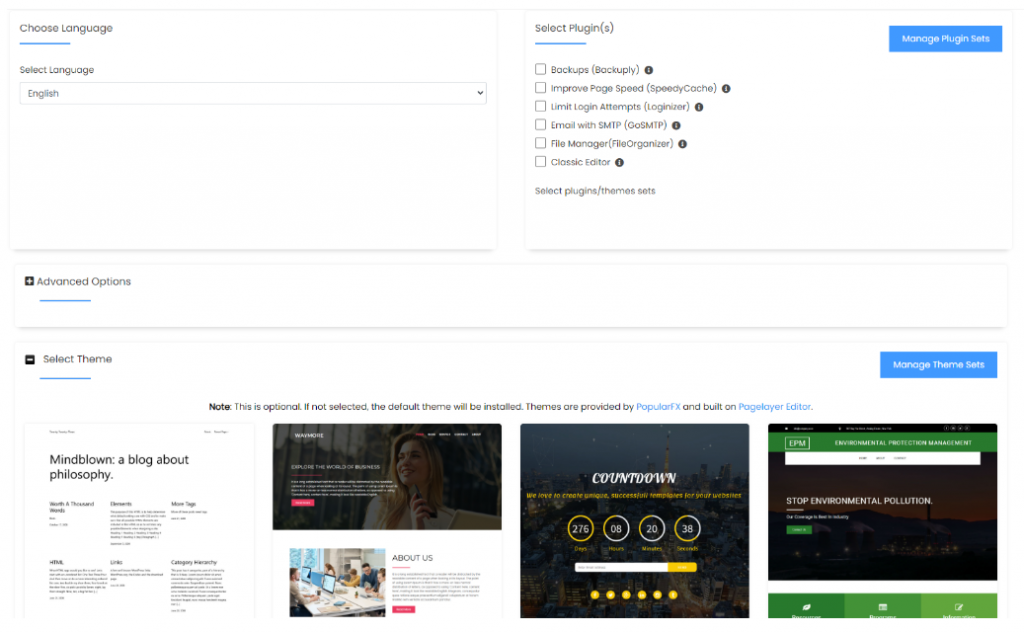
    If you continue to scroll down you will be given the options for a language and plugins, some advanced settings and the option to include a stock theme to use for your website.


    Once you have filled in all the options you want for your website, click “install” at the end of the page


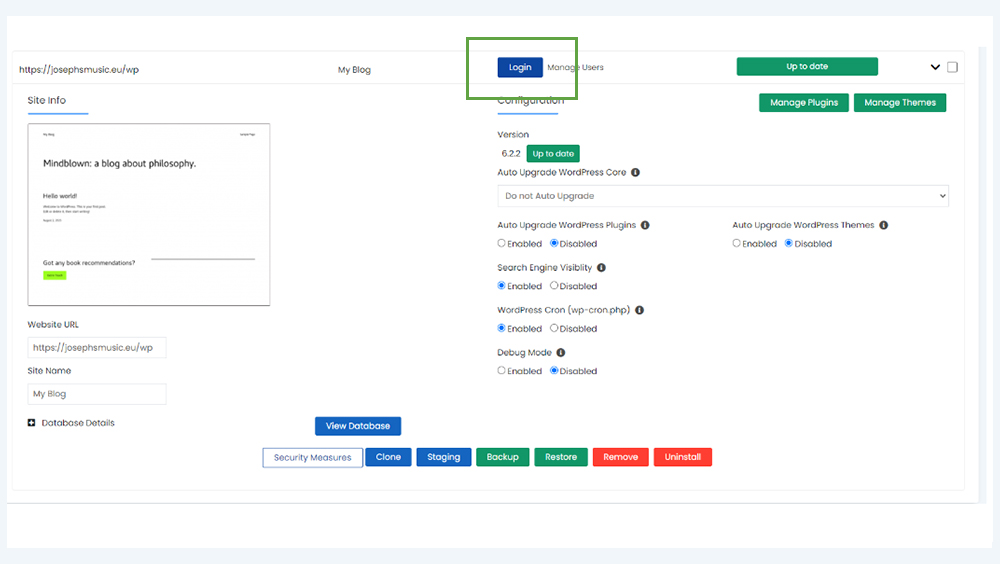
    When everything is done, click “Return to WordPress management” and you will see everything you have done and everything you can adjust with your website


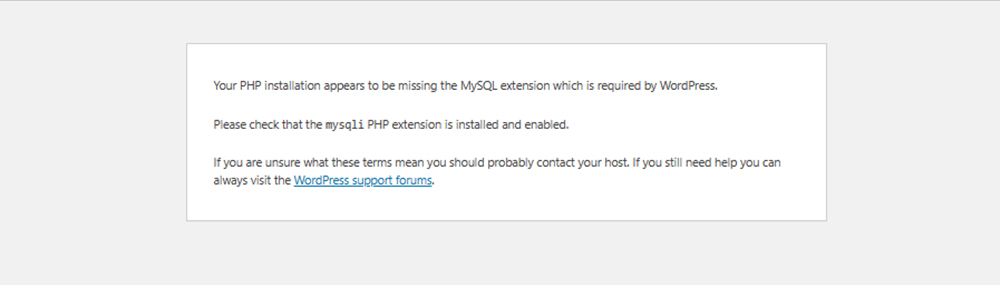
    4. In order to gain access to Elementor in wordpress, you will have to change your PHP version in order to access it as the default PHP version does not support Elementor. If you get this error, it means that the default PHP version is incorrect:

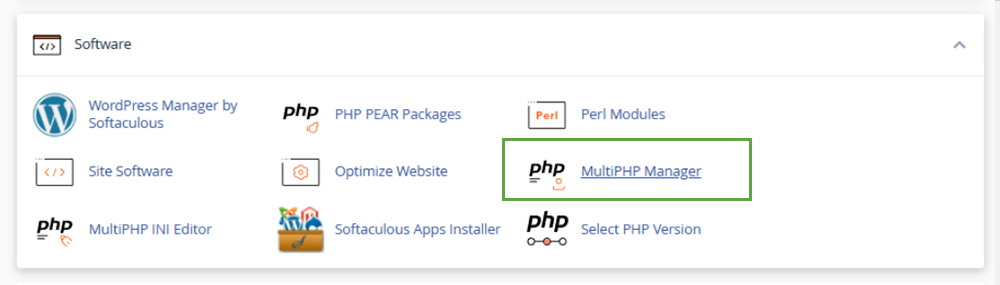
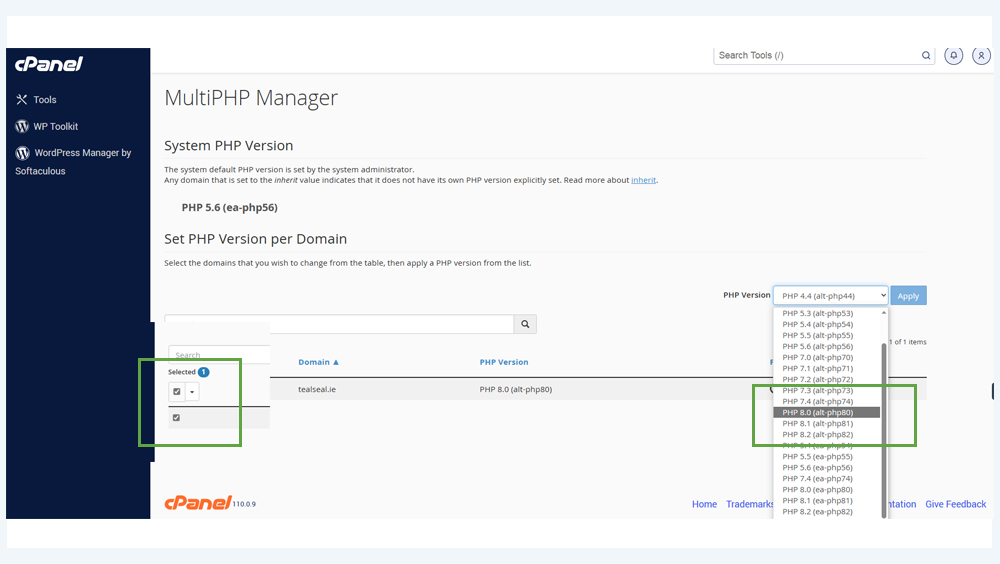
    To solve this problem please go to the “Software” tab in cPanel and select “Multi PHP Manager”


    If the default PHP version is ver 4.4 . You should change this to PHP 8.0 (alt PHP 80) or 8.2 (alt-PHP82) to be able to install Elementor correctly in order to access Elementor for WordPress:

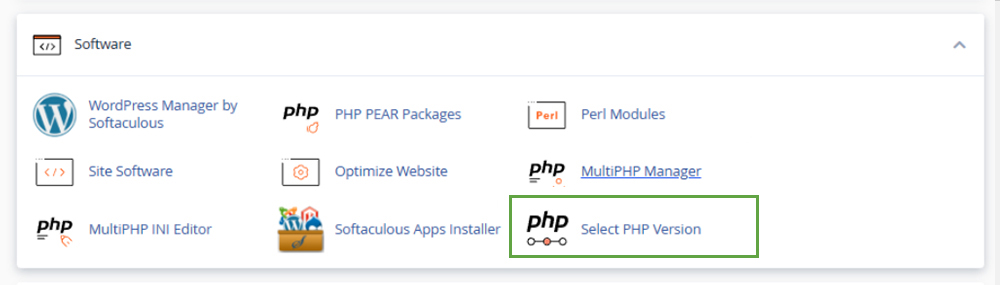
    Then, please back to the main cPanel dashboard, and go to “Select PHP Version”

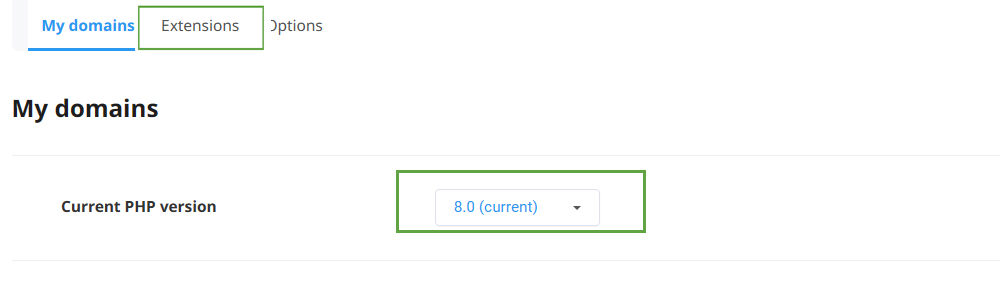
    Please choose the same version of PHP here:

    Then please go to “extensions” & enable:

    Zip

    fileinfo 

    pdo_pgsql

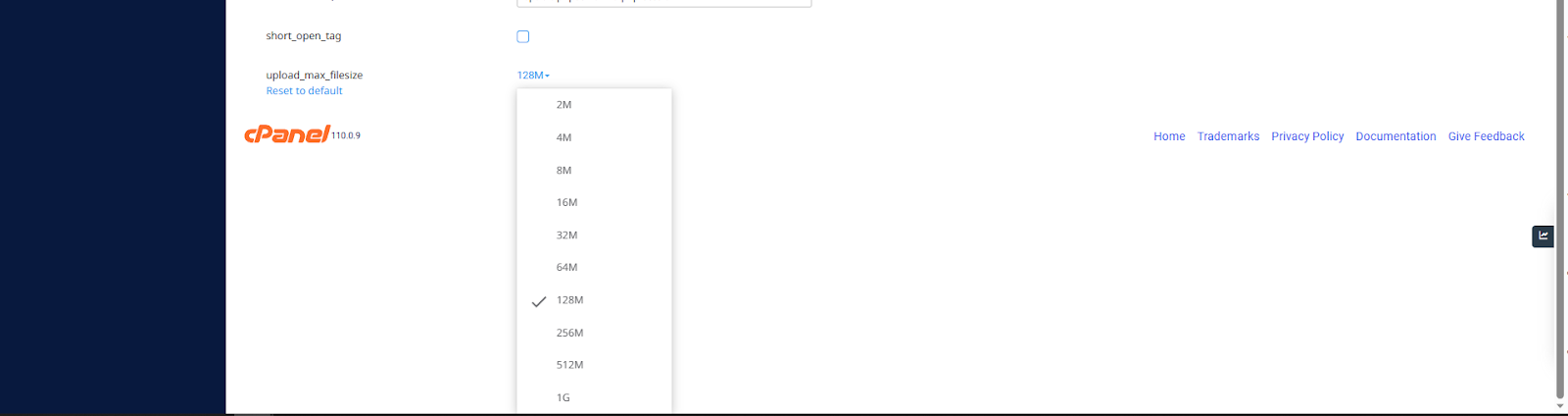
    In addition you can go to ==> “Options” and update upload_max_filesize ⇒ e.g. change from 2M to 128M or higher


    How to install Elementor in WordPress?
    Once logged into your website dashboard in WordPress, locate the “plugins” tab on the left side of the screen

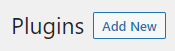
    Elementor won’t be installed on WordPress by default, so we need to install it manually. Click the “Add New” button near the top of the screen once you click into the Plugins tab


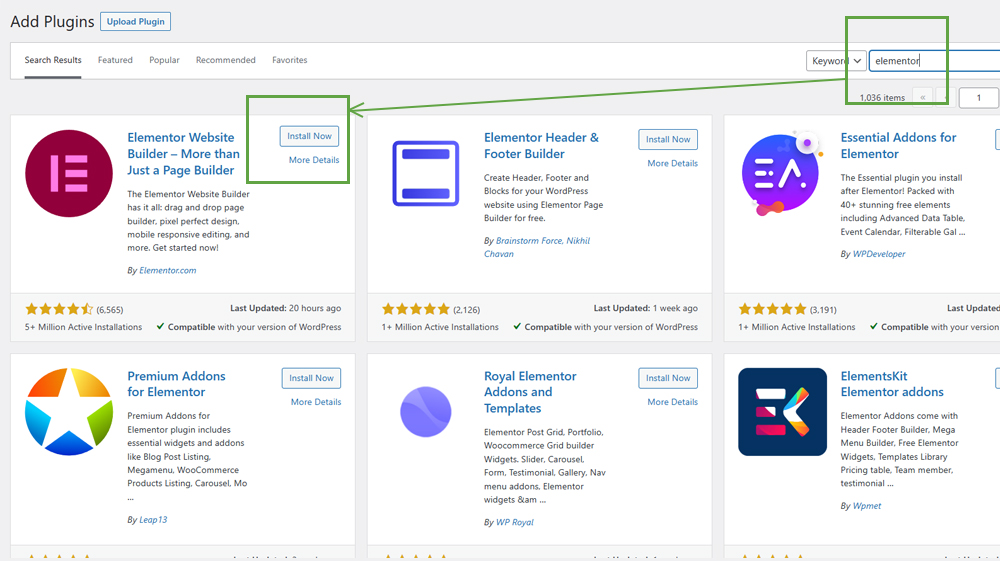
    From here, you will be able to search for Elementor manually


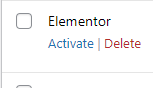
    Now Elementor should be installed and you can see it when you click back to the first plugins page


    All you need to do now is press “activate” and Elementor will be up and running on wordpress.

    How Elementor works:
    When you activate Elementor, go to the “Pages” tab in WordPress. Click “edit” on an already existing page to access Elementor.


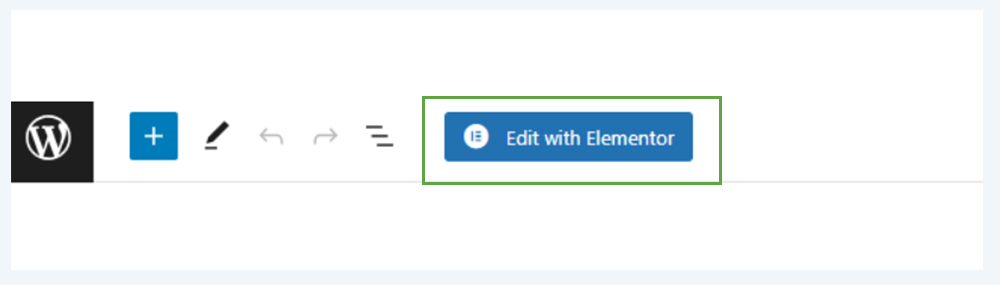
    Click “Edit with Elementor” to access Elementors editor for your website


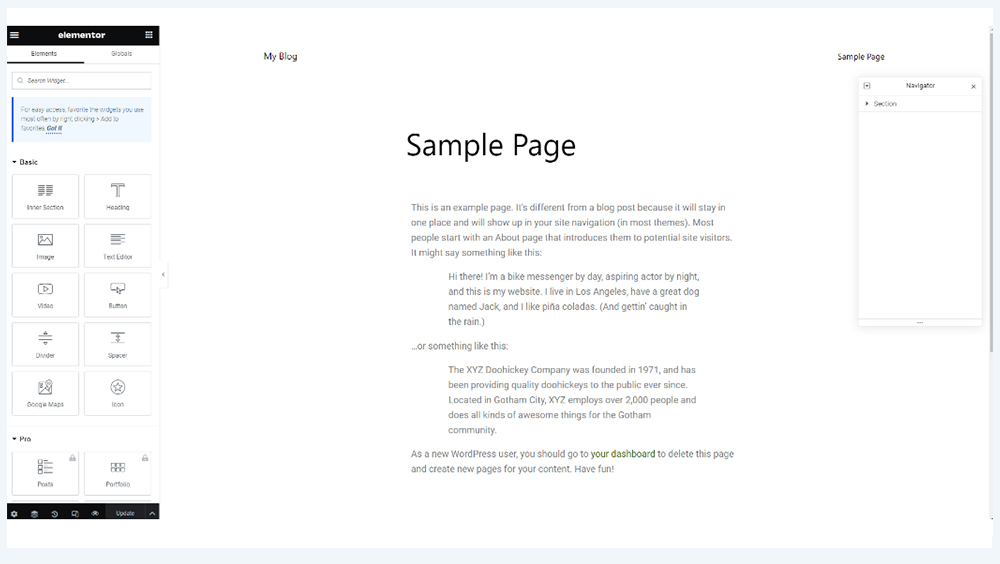
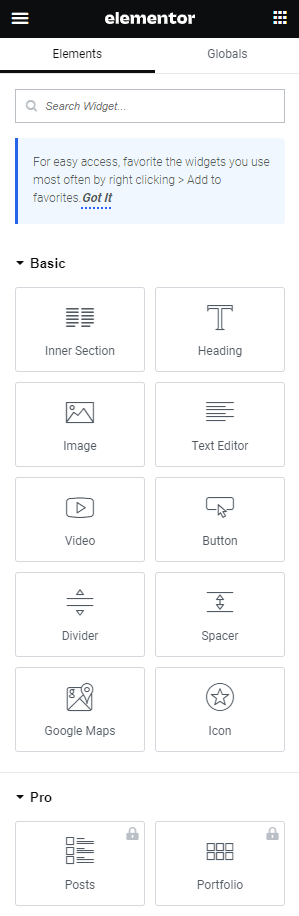
    This is the screen that you get when Elementor is activated and operating on WordPress
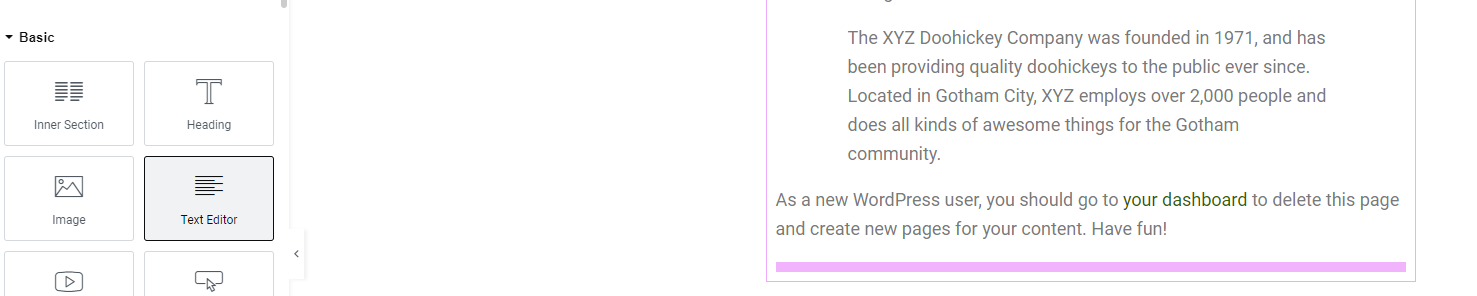
    All you have to do to use the widgets on the left side of the screen is to click on them, drag them and a pink bar will allow you to locate where you want to put your widget.


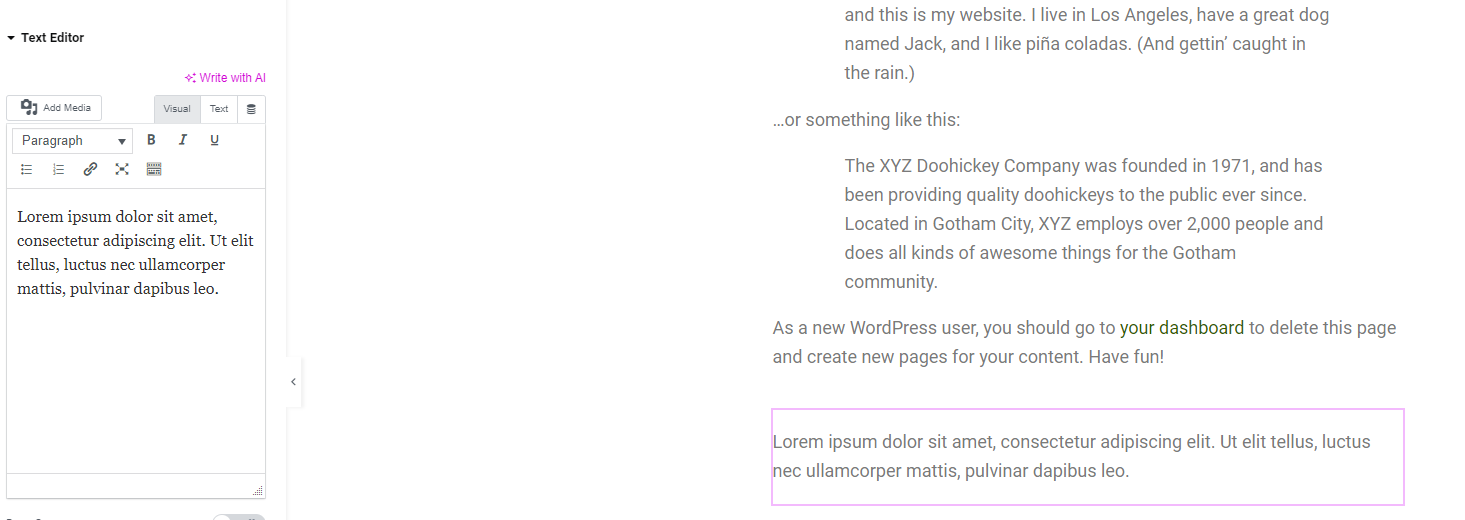
    When the text editor widget is dragged down onto the pink bar, it will now produce a text editor and a box to show the text typed


    There are more widgets that can be used like implementing images, spacers, dividers etc.


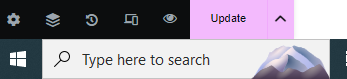
    The “Publish” button publishes all your changes onto the website you have created through WordPress
    The “Update” button updates the website with any additional changes.


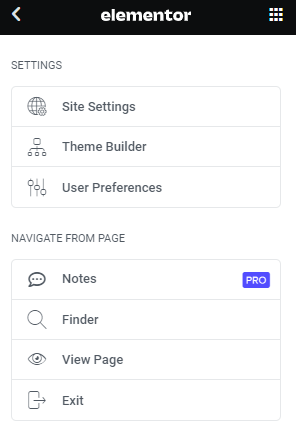
    The 3 bars on the top left of the screen guide you back out of Elementor and back into the WordPress dashboard

    If you have any further questions, contact us at support@webworld.ie and we will be happy to help you.

    Registering a .co.uk & .uk domain

    Why purchase a .co.uk or .uk domain name?

    The .uk domain is short and very memorable, which makes it easy for users to search for you. As it is a very well known domain, you can take your first step online knowing you are in safe hands with a domain where your business can thrive. This domain is multi-functional and can be used for a lot of different purposes. You can even use the .co.uk domain for your business, even if you are based outside the UK. Studies also show that from search results, 70-80% of UK consumers would be more likely to choose a .co.uk website. Finally, a website with a .co.uk domain extension will also gain greater visibility in the UK (local) search engine results, automatically driving more traffic to your website.

    Who can register a .co.uk or .uk domain name?
    There are no restrictions for someone who wants to register a .co.uk or .uk domain name, apart from people in the EU.

    How much does a .co.uk or .uk domain name cost?
    A .uk domain name costs €10.95
    A .co.uk domain name costs €9.95

    To register a .uk domain, head over to here and type in the name of the .uk domain you want to register. Another way to register a domain is to email us here with the domain you wish to register and we will get back to you with the requirements.

    For UK businesses, we would definitely recommend using .uk, whereas if you are intending to trade overseas and don’t want to be considered as primarily a UK company we would suggest that you pick .com

    Can I transfer my existing domain to Web World?
    Before beginning the transfer process, you will need to ensure that your domain is properly set up for a transfer and that you have all of the required information. The process will vary depending on your domain provider, but there are general steps that are common between many registrars. Don’t worry. We can help you transfer your files, databases, and update all settings. You can contact us here and we will assist you.

    Hosting With DirectAdmin

    DirectAdmin has all the latest technology you would need to perform administrative work for effective hosting. DirectAdmin is as proficient as you’d expect a good control panel to be and allows its users the ability to tweak all the essential web hosting elements including backups and mail. DirectAdmin can run perfectly under Linux and its major distributions, CloudLinux, CentOS, Ubuntu, Debian, Red Hat and much more.

    MORE >

    The most dangerous cybercrimes against domains in 2022

    Attempts to illegally take over Internet domains are common today. Examples of such activities can be multiplied – cybersquatting, typosquatting or phishing. Sometimes a domain can be lost through your own inattention, sometimes as a result of armed robbery.

    Domanier or cybersquatter?

    Domaniers are people who buy, sell, park and collect Internet domains. They are often and wrongly confused with cybersquatters, whose operation consists in intentionally registering domains with extensions not used by a given company, in order to resell them at appropriately inflated prices.
    Cybersquatters act in bad faith, relying on the reputation of the company using a given name or trademark. So what should you do if you fall victim to them? It all depends on the priorities you set. If the domain extension is not very popular (e.g. “.net.pl” or “.co”), it may be worth accepting the loss. The second option is to negotiate with the cybersquatter and buy back the domain. The third solution is to refer the dispute to a court. If it is proved that the person who seized the domain violated the right of protection for the trademark or the claimant’s personal rights, acted in bad faith or committed an act of unfair competition, such registration may be withdrawn.
    How to avoid cybersqatting? It is best to take preventive measures and buy all the most popular extensions for a given domain, so not only “.se”, but also “.com.se”, “.com” and “.eu”.


    Typosquatting, i.e. a deliberate typo

    In this case, the scam consists in registering a domain with a name very similar or almost identical to the name of a given company or brand.

    Why do cybercriminals use typosquatting? Because by using a domain with a similar-sounding name, they can intercept Internet traffic, directing it to pages with advertisements or their own portals (thus increasing the number of visits and deriving financial benefits). Fortunately, the courts are putting more and more emphasis on issues related to the protection of intellectual property on the Internet, treating typosquatting as using someone else’s brand and reputation for your own gain.

    How to avoid typosquatting? You must register all alternative names with possible typos. The allegro.pl auction site has secured itself well for this occasion. After entering the address with a typo – anazon.co.uk in the search engine, the correct redirection to the address amazon.co.uk takes place.

    Remember that the mere fact of registering a domain does not mean that you become its owner. Formally, you get a temporary opportunity to use it. Therefore, if the domain is not renewed in due time, it will go to the stock exchange, from where it will be available to anyone, in accordance with the principle: “first come, first served”.

    An example is the situation that happened when Microsoft’s failure to renew hotmail.co.uk in 2003. In 2003, Hotmail was one of the most popular free email services in the UK, with likely hundreds of thousands of accounts using “@hotmail.co.uk” domains.

    On April 13, 2013, Regions Bank customers in 16 states found their bank’s website offline because the financial institution forgot to renew their domain name.

    In September 2015, former Googler Sanmay Ved was checking out Google Domains when he saw that google.com was for sale. Incredulous, Ved tossed one of the most valuable domain names in the world into his cart to see if he really could buy it.

    So how to avoid such a situation? It’s easy – just set a reminder to renew your domain.


    Domain shadowing

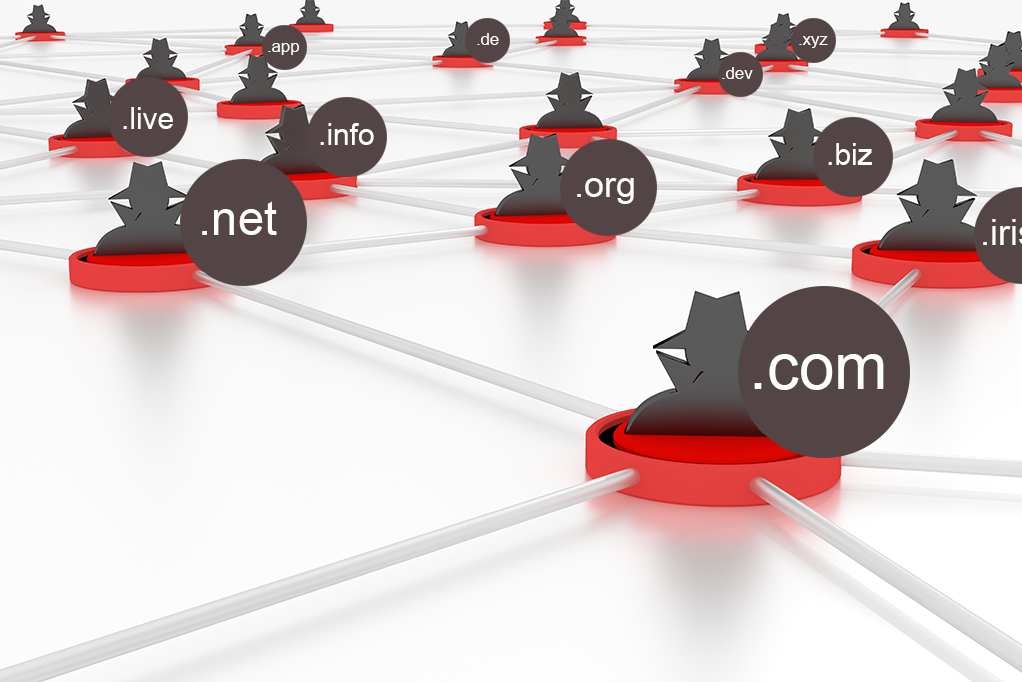
    Domain shadowing involves gaining control of a registered domain by obtaining administrative credentials, to create DNS records for new subdomains. By creating an infinite number of subdomains, the attacker sets up the largest possible list. This behaviour has proven to be very effective in bypassing typical blocking techniques, such as blacklisting and/or monitoring of websites or IP addresses.

    Threat analysts at Palo Alto Networks (Unit 42) discovered that the phenomenon of ‘domain shadowing’ might be more prevalent than previously thought, uncovering 12,197 cases while scanning the web between April and June 2022.

    Domain shadowing is a subcategory of DNS hijacking, where threat actors compromise the DNS of a legitimate domain to host their own subdomains for use in malicious activity but do not modify the legitimate DNS entries that already exist.

    These subdomains are then used to create malicious pages on the cybercriminals’ servers while the domain owner’s site’s web pages and DNS records remain unchanged, and the owners don’t realize they have been breached.

    In the meantime, the threat actors are free to host C2 (command and control) addresses, phishing sites, and malware-dropping points, abusing the good reputation of the hijacked domain to bypass security checks.

    The attackers can theoretically change the DNS records to target users and owners of the compromised domains, but they typically prefer to take the stealthy path described above.

    In conclusion, how to secure a domain?

    • Register a domain with all popular extensions (LINK)
    • Register alternative domain names with possible typos  (LINK)
    • Pay attention to e-mails with attachments, especially invoices to be paid
    • Remember to renew your domains regularly
    • Do not give in to domain fraudsters by reporting the problem to the appropriate court

    Finally, a rather interesting example from real life. A few weeks ago, 43-year-old Sherman Hopkins from Iowa in the United States attempted to take over the domain by threatening its owner with… a firearm. As a result of the shooting, both men were injured. Unfortunately, the address was not found.

    “The domain market is developing dynamically, and with it the inventiveness of cybercriminals who are looking for ways to earn money easily and quickly. Currently, the most popular practices of domain hackers are cybersquatting, typosquatting and phishing, although a domain can also be lost as a result of one’s own negligence. It is worth protecting yourself against all these situations in order to avoid financially and image-related painful consequences” – sums up Jakub Dwernicki, president of Hekko.pl.

    Domain Sale for .ink and .tattoo!

    .tattoo and .ink domain names

    Two intriguing domain extensions

    The .ink and .tattoo names lend themselves to similar markets. Of course, .tattoo more specifically addresses the tattoo, tattoo artist and body art market. The .ink domain is also used by this group but its connotations with writing, drawing, and art more generally means that it has a wider variety of uses, including by journalists and authors. 

    The .ink domain is, in a word, evocative. It brings to mind inkwells and flourishes on the page. It can also be animalistic, in the case of SquidMag.ink! The site is a blog and resource dedicated to African comics and animation. The choice has a double significance since clearly the “squid” name works well with ink, but the subject matter itself is about comics and animation, which itself is ink art!

    On the .tattoo side of things, it’s hard to beat oops.tattoo! In the perfect ironic twist, it is in fact a tattoo studio in the business of making tattoos not removing them.

    Substack and social media influencers have created a new era of independent journalists and pundits. One 1930s magazine, True: The Men’s Magazine, was reborn as True.ink. It covers adventure and potential from a bygone era, think chasing General Patton’s Ghost, making hard cider, and obscure Greek island adventures.

    When thinking of the intersection of .tattoo and .ink, it seems pretty intuitive. Tattoo artists sites, tattoo studio sites, sites for products for those groups like inks and tattoo care. What you might not have guessed is the huge amount of temporary tattoo sites! Intrigue.ink, Coper.tattoo, Bunami.ink, Tatology.ink, Instant.tattoo, Everink.tattoo are all examples of temporary tattoo stores.

    I hope reading about the possibilities that writers and artists have found with .ink and .tattoo domain names has inspired you to search around, even if you are in an entirely different field. If you are a writer, artist, or tattooist, we have a current sale on .ink and .tattoo domain names! 


    If you are interested in a .ink or .tattoo domain name, please click the button below to register yours!