Archives 2025

cPanel vs. DirectAdmin: Two Leading Web Control Panels

cPanel and DirectAdmin are popular web hosting control panels designed to simplify server management. Both offer essential tools for managing domains, emails, databases, and security, delivering similar core functionality to streamline administrative tasks. This article explores their key similarities to help you understand how they achieve the same goals.

Two leading web hosting control panels discover how cPanel and DirectAdmin both serve the same purpose with strength and style.

When it comes to web hosting control panels, cPanel is often seen as the industry standard. It’s been around for decades and is widely known for its user-friendly interface and robust features. However, DirectAdmin has emerged as a powerful and reliable alternative, especially in recent years.

Key Similarities Between DirectAdmin and cPanel

1. User-Friendly Interface

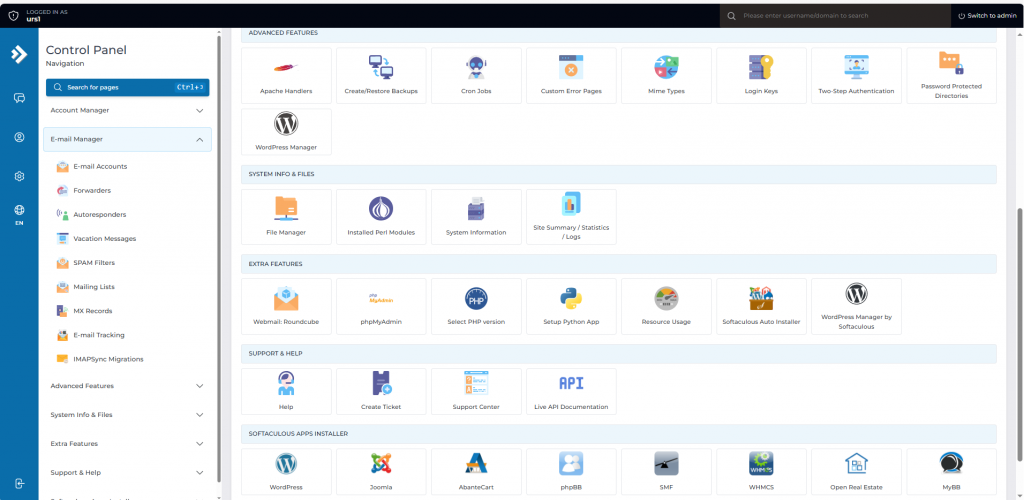
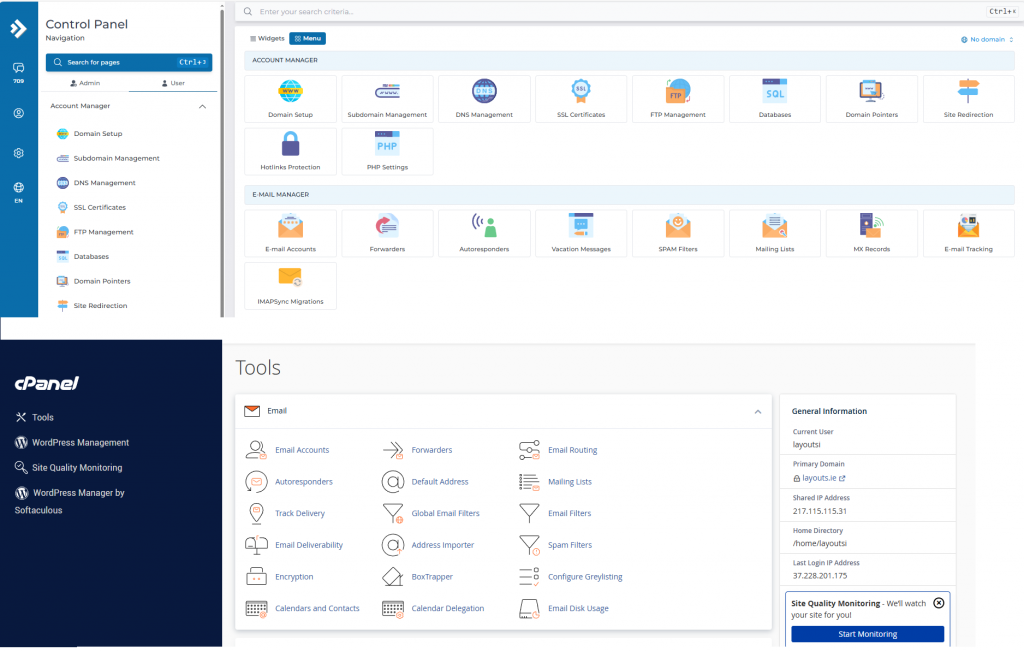
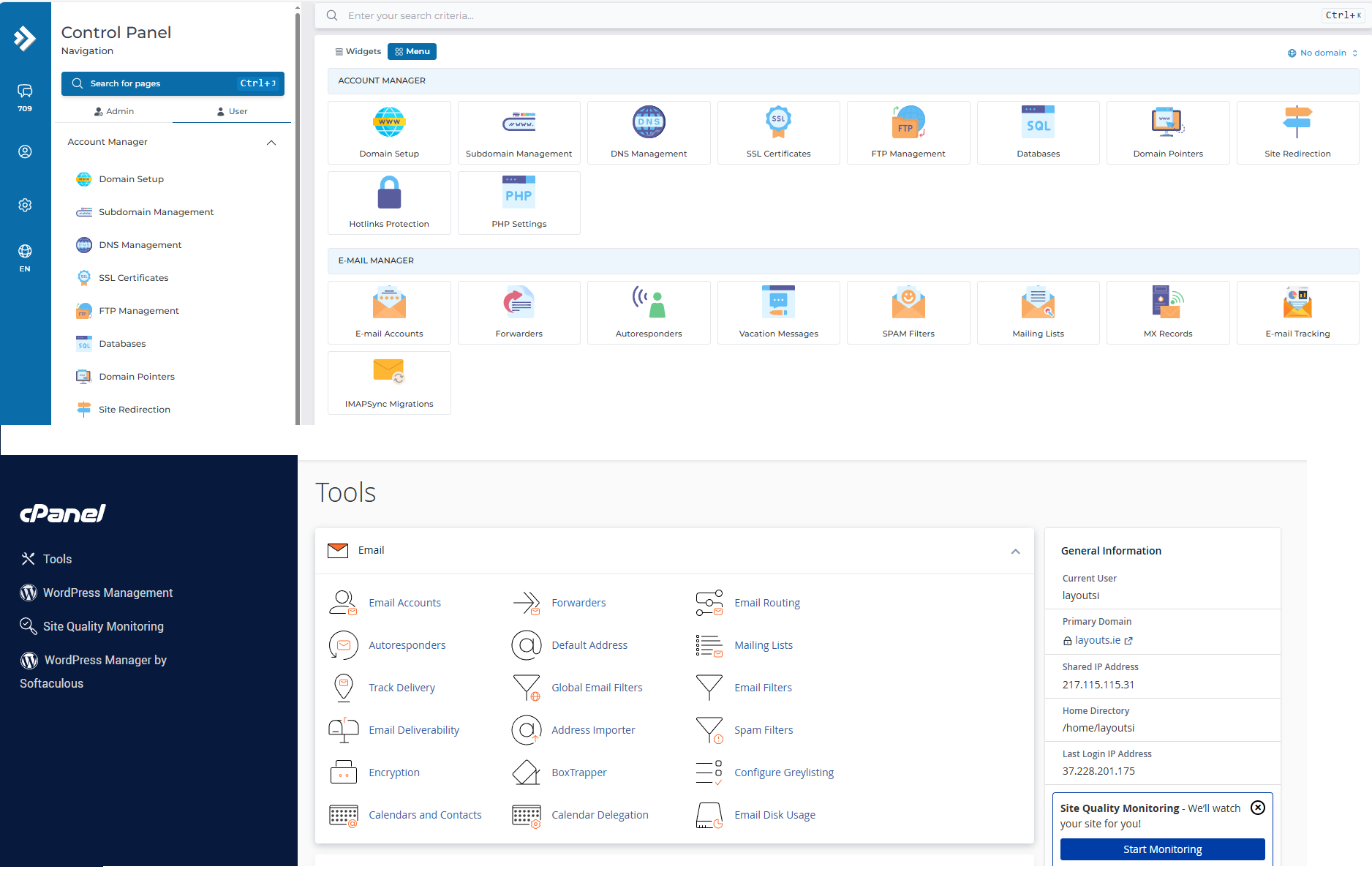
Both cPanel and DirectAdmin offer clean, intuitive dashboards. Users can manage domains, email accounts, databases, backups, and files with just a few clicks. While the layout may differ slightly, the functionality is nearly identical.

2. Comprehensive Hosting Management

Whether you’re a beginner or an experienced sysadmin, both panels provide complete control over your hosting environment. You can:

  • Create and manage multiple websites
  • Set up email accounts and forwarders
  • Handle FTP and file management
  • Configure DNS settings
  • Install SSL certificates

3. Support for Popular Software

DirectAdmin and cPanel both support:

  • Apache and Nginx web servers
  • MySQL/MariaDB
  • PHP versions management
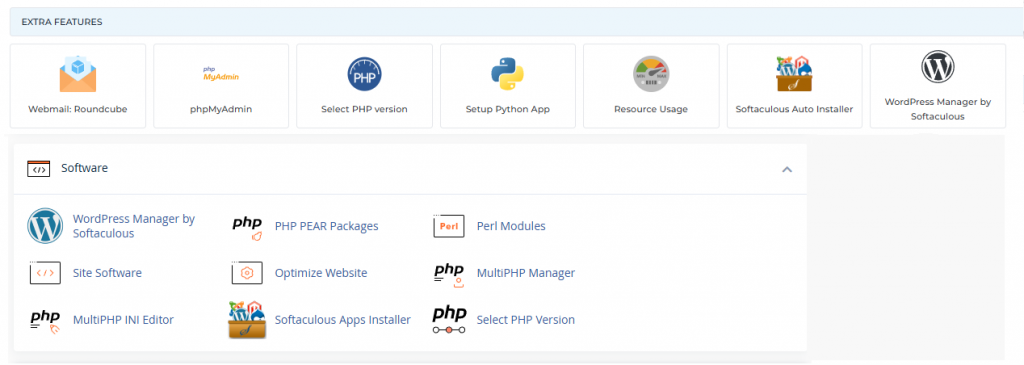
  • Softaculous (or similar 1-click app installers)
    This ensures compatibility with most modern websites, including WordPress, Joomla, Magento, and more.

4. Security Features

Both platforms offer:

  • Two-factor authentication (2FA)
  • IP blocking
  • Brute-force attack prevention
  • SSL management
  • Firewall and antivirus integration
    Security is a top priority on both sides.

5. Multiple Access Levels

Each has three main user roles:

  • Admin: Full system access
  • Reseller: Can manage multiple user accounts
  • User: End-client or site owner access
    This makes either option suitable for shared hosting providers or web agencies.

Why DirectAdmin Is Just as Good as cPanel

Lightweight and Fast. DirectAdmin is known for being lightweight and resource-efficient. It performs exceptionally well even on low-resource servers, making it ideal for VPS environments.

Cost-Effective. Following cPanel’s price increases in recent years, many users began looking for alternatives. DirectAdmin offers a more budget-friendly licensing model while still delivering premium-level features.

Active Development and Support. DirectAdmin continues to evolve with regular updates, new features, and excellent support. Its community is active, and many hosting providers have shifted toward supporting it.

Customization and Scripting.DirectAdmin provides flexibility for advanced users through custom scripting and API access, similar to what you’d find with cPanel/WHM.

Migration Tools. Moving from cPanel to DirectAdmin is easier than ever. Migration tools are available that help you transfer accounts, emails, databases, and settings with minimal hassle.

Cost Efficency

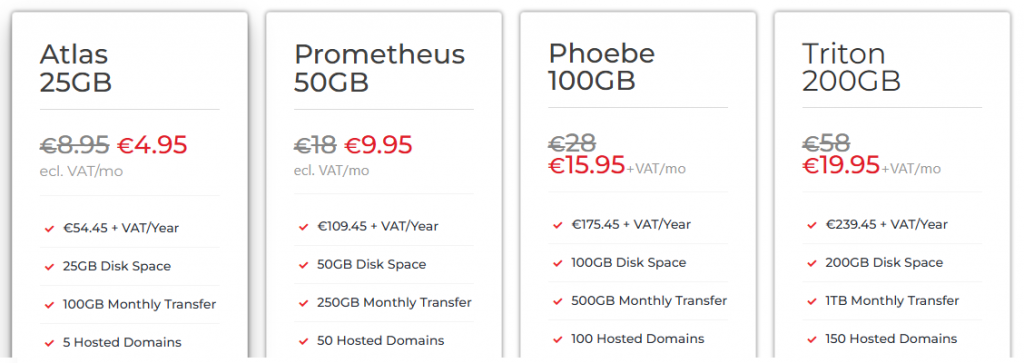
When it comes to cost efficiency, DirectAdmin hosting stands out as a smarter choice for individuals and businesses alike. Unlike other control panels that come with hefty licensing fees, DirectAdmin offers a lightweight, budget-friendly solution without compromising on functionality. This means lower monthly costs for hosting providers and more affordable plans for customers. At Web World Hosting, our DirectAdmin-based web hosting is optimized for speed, simplicity, and reliability—making it ideal for startups, developers, and small business owners who want premium features without the premium price tag. With intuitive controls, fast performance, and fewer overheads, DirectAdmin helps you get more value for your investment.

Conclusion

While cPanel remains a powerful and popular choice, DirectAdmin matches it in functionality and usability—and even surpasses it in some key areas like performance and pricing. Whether you’re managing a single website or running a full hosting business, DirectAdmin is a robust, secure, and scalable solution that deserves serious consideration.

If you’re looking for a control panel that delivers without breaking your budget, DirectAdmin is just as good as cPanel—if not better for many use cases.

cPanel and DirectAdmin Serve the Same Goal

Two leading web hosting control panels discover how cPanel and DirectAdmin both serve the same purpose with strength and style.

When it comes to web hosting control panels, cPanel is often seen as the industry standard. It’s been around for decades and is widely known for its user-friendly interface and robust features. However, DirectAdmin has emerged as a powerful and reliable alternative, especially in recent years.

Key Similarities Between DirectAdmin and cPanel

1. User-Friendly Interface

Both cPanel and DirectAdmin offer clean, intuitive dashboards. Users can manage domains, email accounts, databases, backups, and files with just a few clicks. While the layout may differ slightly, the functionality is nearly identical.

2. Comprehensive Hosting Management

Whether you’re a beginner or an experienced sysadmin, both panels provide complete control over your hosting environment. You can:

  • Create and manage multiple websites
  • Set up email accounts and forwarders
  • Handle FTP and file management
  • Configure DNS settings
  • Install SSL certificates

3. Support for Popular Software

DirectAdmin and cPanel both support:

  • Apache and Nginx web servers
  • MySQL/MariaDB
  • PHP versions management
  • Softaculous (or similar 1-click app installers)
    This ensures compatibility with most modern websites, including WordPress, Joomla, Magento, and more.

4. Security Features

Both platforms offer:

  • Two-factor authentication (2FA)
  • IP blocking
  • Brute-force attack prevention
  • SSL management
  • Firewall and antivirus integration
    Security is a top priority on both sides.

5. Multiple Access Levels

Each has three main user roles:

  • Admin: Full system access
  • Reseller: Can manage multiple user accounts
  • User: End-client or site owner access
    This makes either option suitable for shared hosting providers or web agencies.

Why DirectAdmin Is Just as Good as cPanel

Lightweight and Fast. DirectAdmin is known for being lightweight and resource-efficient. It performs exceptionally well even on low-resource servers, making it ideal for VPS environments.

Cost-Effective. Following cPanel’s price increases in recent years, many users began looking for alternatives. DirectAdmin offers a more budget-friendly licensing model while still delivering premium-level features.

Active Development and Support. DirectAdmin continues to evolve with regular updates, new features, and excellent support. Its community is active, and many hosting providers have shifted toward supporting it.

Customization and Scripting.DirectAdmin provides flexibility for advanced users through custom scripting and API access, similar to what you’d find with cPanel/WHM.

Migration Tools. Moving from cPanel to DirectAdmin is easier than ever. Migration tools are available that help you transfer accounts, emails, databases, and settings with minimal hassle.

Cost Efficency

When it comes to cost efficiency, DirectAdmin hosting stands out as a smarter choice for individuals and businesses alike. Unlike other control panels that come with hefty licensing fees, DirectAdmin offers a lightweight, budget-friendly solution without compromising on functionality. This means lower monthly costs for hosting providers and more affordable plans for customers. At Web World Hosting, our DirectAdmin-based web hosting is optimized for speed, simplicity, and reliability—making it ideal for startups, developers, and small business owners who want premium features without the premium price tag. With intuitive controls, fast performance, and fewer overheads, DirectAdmin helps you get more value for your investment.

https://webworld.host/web-hosting

Conclusion

While cPanel remains a powerful and popular choice, DirectAdmin matches it in functionality and usability—and even surpasses it in some key areas like performance and pricing. Whether you’re managing a single website or running a full hosting business, DirectAdmin is a robust, secure, and scalable solution that deserves serious consideration.

If you’re looking for a control panel that delivers without breaking your budget, DirectAdmin is just as good as cPanel—if not better for many use cases.

Why 2FA Is Critical for Hosting Panels

When it comes to website security, your hosting control panel is the gateway to everything—your files, databases, emails, and settings. Whether you’re using cPanel or DirectAdmin, enabling Two-Factor Authentication (2FA) adds a powerful layer of protection against unauthorized access.

In this post, we’ll walk you through enabling 2FA on both platforms and explain why it’s a must for every website owner.

MORE >>

Smarter Long-Term Choice for .NL Domains

When registering a .NL domain, many businesses are drawn to low introductory offers. However, these promotions often mask significantly higher renewal rates in subsequent years, leading to unexpected long-term costs. At Web World, we prioritize transparency and long-term value, ensuring our customers benefit from consistently fair pricing.

The Hidden Cost of Cheap First-Year Deals

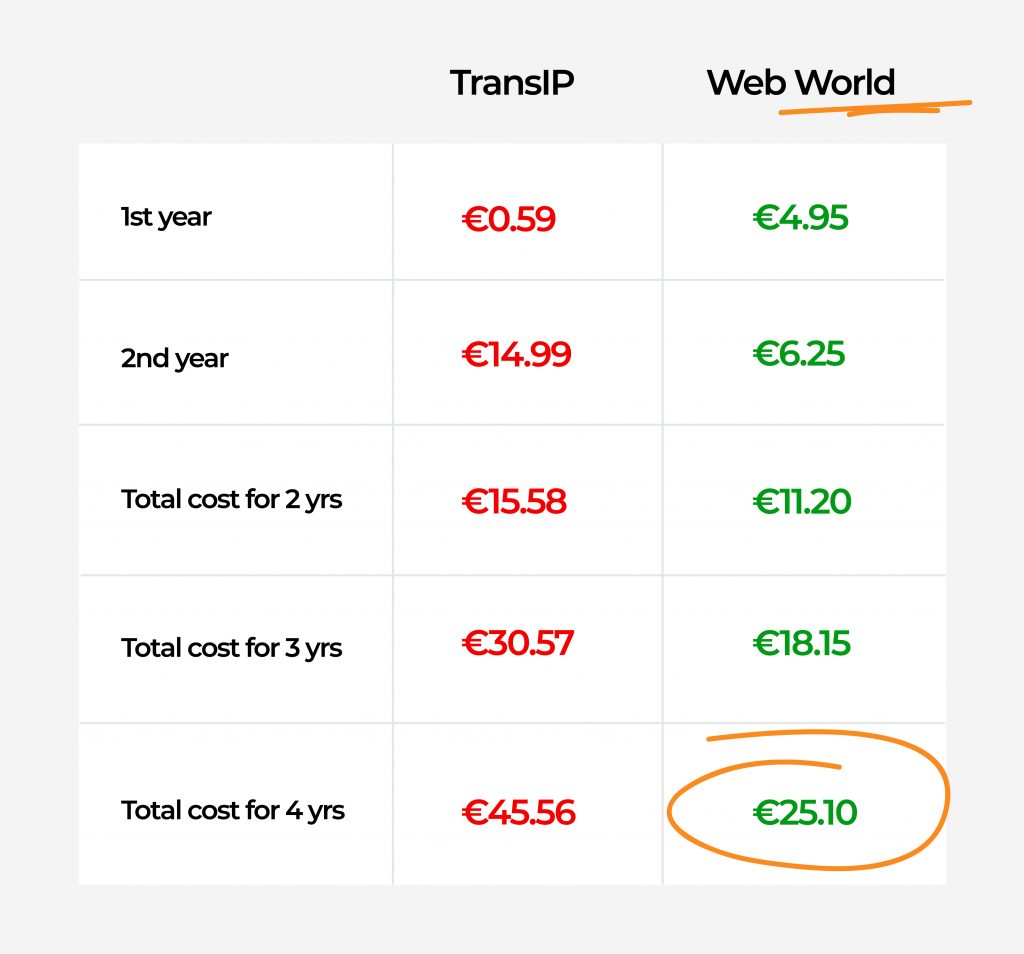
While some registrars, such as TransIP, promote first-year pricing as low as €0.59, the renewal cost rises sharply to €14.99 annually thereafter. Over a standard 4-year registration period, this results in a total cost of €45.56—a figure that may come as a surprise to those who expected the savings to continue.

By contrast, Web World maintains a straightforward, predictable pricing structure:

  • Year 1: €4.95
  • Year 2 onwards: €6.25/year
  • Total cost over 4 years: €25.10

This represents a 45% savings compared to TransIP over the same period.

Make the Smarter Choice

Whether you’re a small business, digital agency, or IT consultant managing multiple domains, cost predictability is essential. Web World’s approach eliminates uncertainty and supports your long-term planning, helping you avoid unexpected renewals that strain your budget.

Ready to Register or Transfer?

With nearly 50% lower total costs over four years and a commitment to pricing transparency, Web World offers clear advantages for anyone serious about domain ownership.

Visit Web World and start saving today. Web World

Troubleshooting “FETCH failed” IMAP Errors

If you’re managing an email server using Dovecot and come across an error like:

Feb 2 00:05:42 cpanel dovecot[number]: imap({email address})<..><..>: Disconnected: FETCH failed in=1652, out=4341540, bytes=1652/4341540

it means that an IMAP client tried to retrieve an email but failed. This can lead to disconnections and issues with email retrieval, affecting users who rely on IMAP to access their emails.

Understanding the Error Message

Breakdown of Key Components:

  • Timestamp: Feb 21 00:05:42 → When the error occurred.
  • Server: cpanel → The hostname of the server where the issue occurred.
  • Process ID: dovecot[number] → The Dovecot mail process that encountered the issue.
  • Protocol & User: imap({email address}) → This happened during an IMAP session for the email account {email address}.
  • Session ID: <number><code> → Unique identifiers for the IMAP session.
  • Error Message: Disconnected: FETCH failed in=1652, out=4341540, bytes=1652/4341540 → The user requested to fetch an email, but the request was unsuccessful.

Possible Causes

  • Corrupted Email Message: A malformed or broken email in the mailbox might be causing the FETCH command to fail.
  • IMAP Connection Issues: The client might be experiencing network issues or losing the connection during the fetch process.
  • Timeout Due to Large Email Attachments: If the email being fetched is very large, the request may be timing out before completion.
  • Dovecot Index File Corruption: IMAP index files store metadata for faster access. If these files become corrupted, errors like this can occur.
  • Server Resource Limits: If the server is running low on memory or CPU, IMAP processes may fail under load.
  • Email Client Issues: The user’s email client may be making an invalid request, using an outdated configuration, or syncing incorrectly.

    Client-Side Troubleshooting Steps:

    1. Restart the Email & Device

    • Close and reopen the email application (Outlook, Thunderbird, Apple Mail, etc.).
    • Restart the device to refresh the network connection and email synchronization.

    2. Check Internet Connection

    • Ensure they have a stable internet connection.
    • If using Wi-Fi, try switching to another network or restarting the router.

    3. Access Webmail Instead

    • Ask the client to log into Webmail (Roundcube, Horde, or another interface) provided by their email host.
    • If emails work fine in Webmail, the issue is likely with the email client settings or local device.

    4. Remove and Re-add the Email Account

    • If emails are not syncing properly, removing and re-adding the IMAP account can force a fresh sync.
    • Steps vary by email client, but generally:
      • Backup emails first (if needed).
      • Go to Settings > Accounts > Remove Email Account
      • Add the email account again using IMAP settings.

    5. Check Email Storage Limits

    • If their inbox is full or near its quota, they may need to delete old emails or move them to local storage.
    • Some email servers reject fetch requests when storage is exceeded.

    6. Disable Third-Party Security Apps (Temporarily)

    • Firewalls, VPNs, or antivirus software might interfere with IMAP connections.
    • Disable them briefly to see if emails start working again.

    7. Update the Email Client

    • Ensure they are using the latest version of their email application.
    • Outdated software might cause synchronization issues.
    • Try accessing the email account from a different app (e.g., switch from Outlook to Thunderbird) to check if the issue is app-specific.

    9. Check IMAP Settings

    • Ensure the incoming and outgoing mail server settings are correct:
      • IMAP Server: mail.yourdomain.com
      • Port: 993 (SSL) / 143 (Non-SSL)
      • Outgoing SMTP Server: mail.yourdomain.com
      • Port: 465 (SSL) / 587 (TLS)
      • Authentication: Enabled (use full email address as the username)

    10. Contact Email Support

    • If the issue persists, they should contact us for further troubleshooting.
    • Provide details such as:
      • The error message seen in the email client.
      • Whether Webmail works but the email client does not.
      • Any recent changes made to email settings or the device.